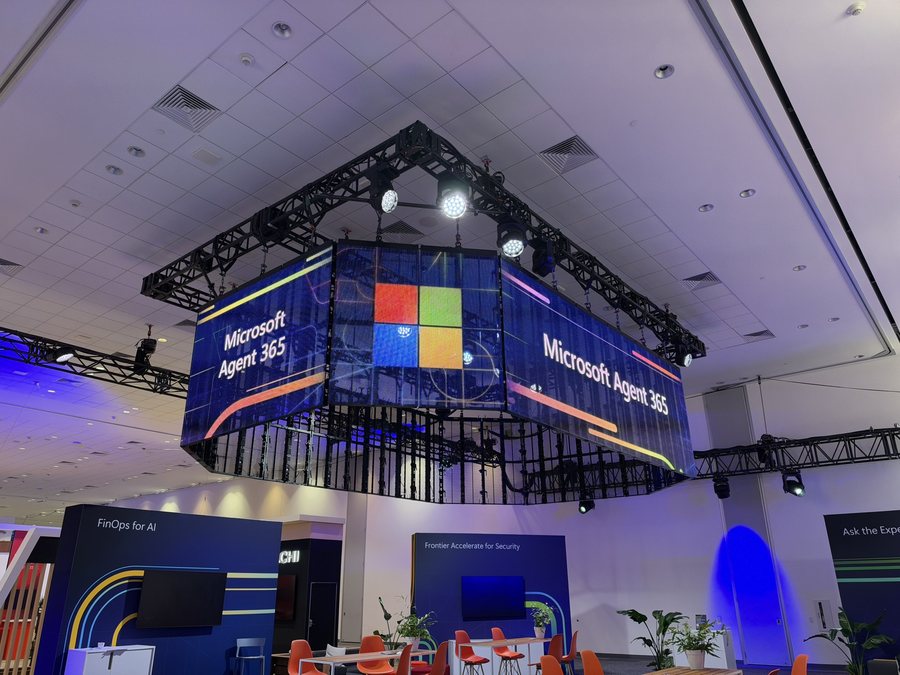
My First Ignite as an MVP
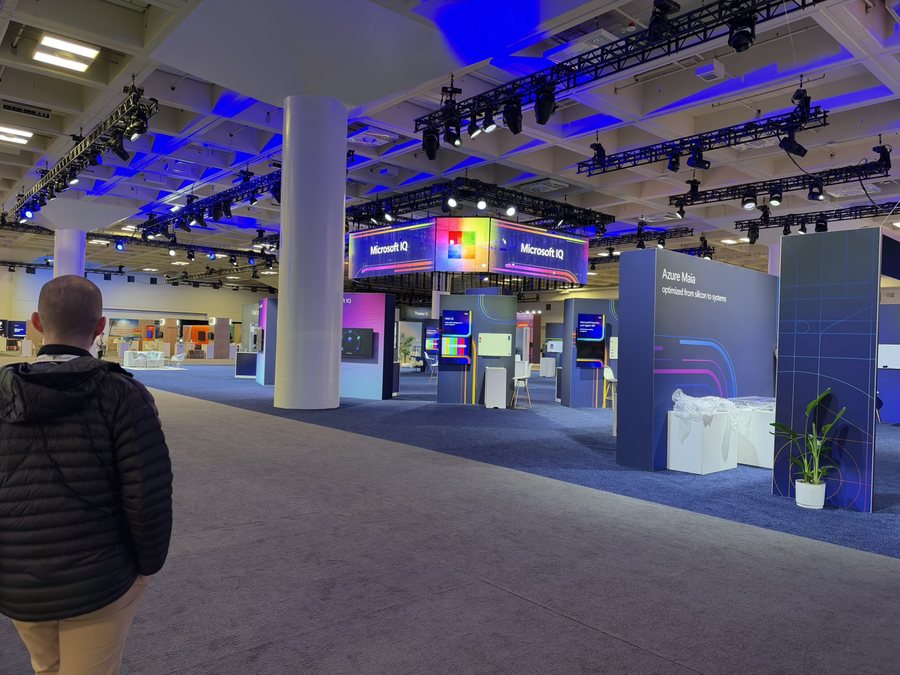
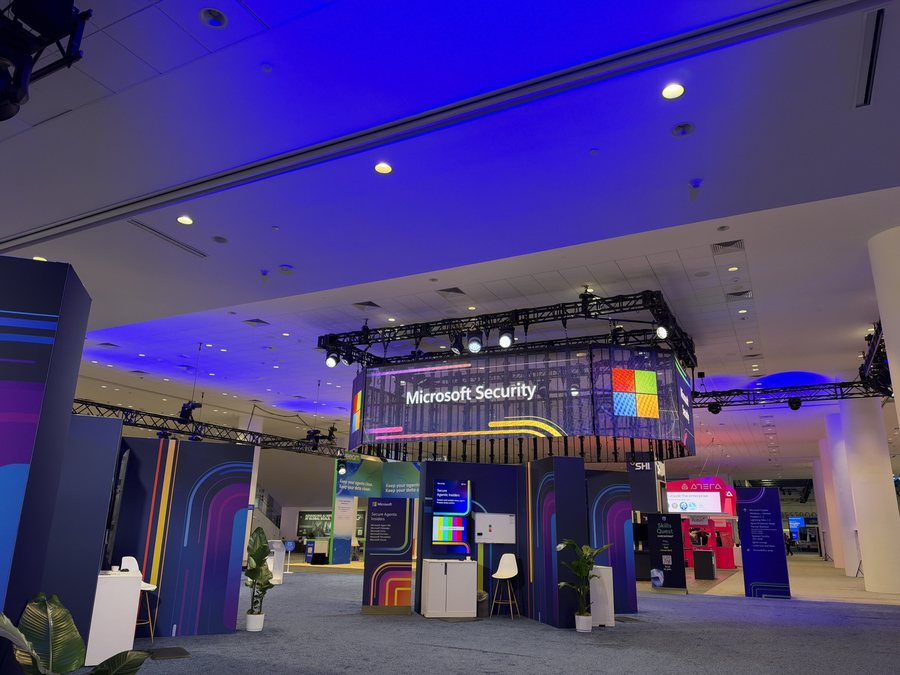
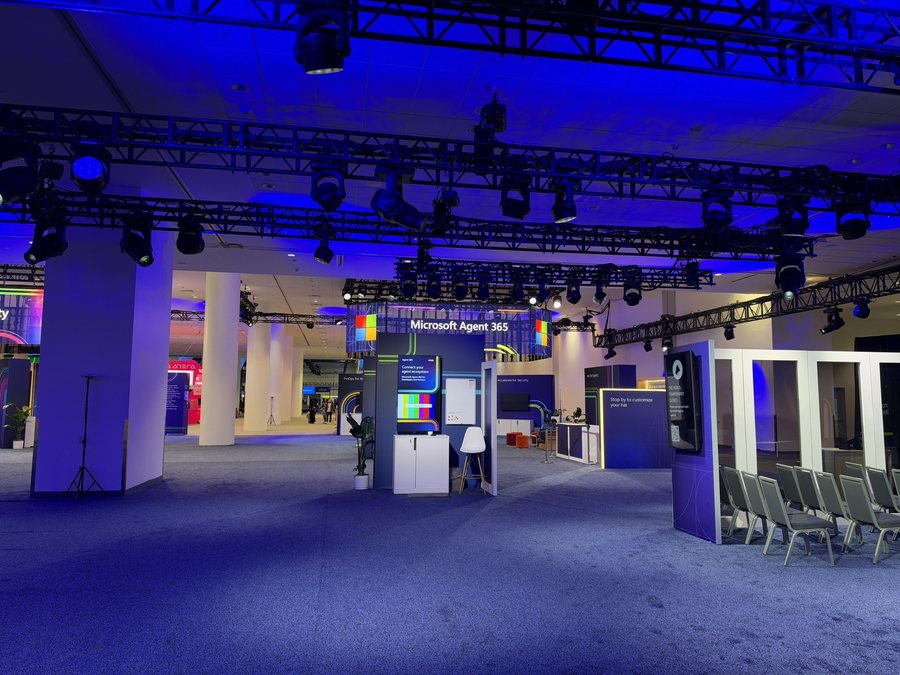
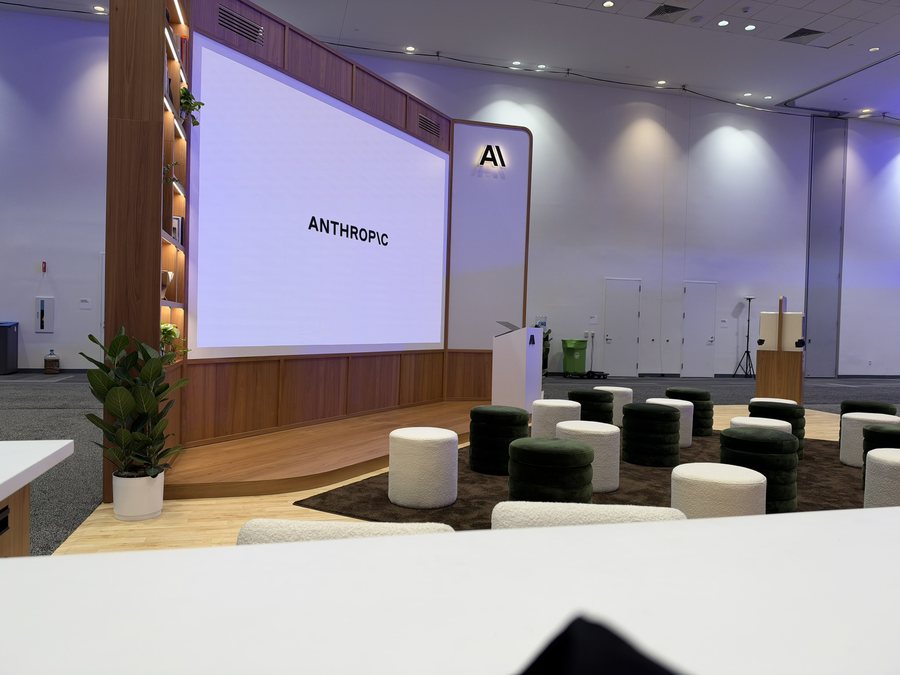
This was one of the more special events I've been to. I came from an MSP background, and this was my first Ignite with Inforcer as a Principal Identity Security Architect, and my first as a Microsoft MVP in Identity. I had backstage access to most of the event and got to sit down with product managers and attendees to talk through real-world issues. I attended the conference as an MVP and an expert discussing identity in the Microsoft Hub area.
For me, Ignite wasn't only about what AI looks like next year in a world filled with agents, Copilot and E7. It was about taking in the experience and building new relationships. It's hard not to get excited about my first year as an MVP, and a picture of the wall was an absolute must.

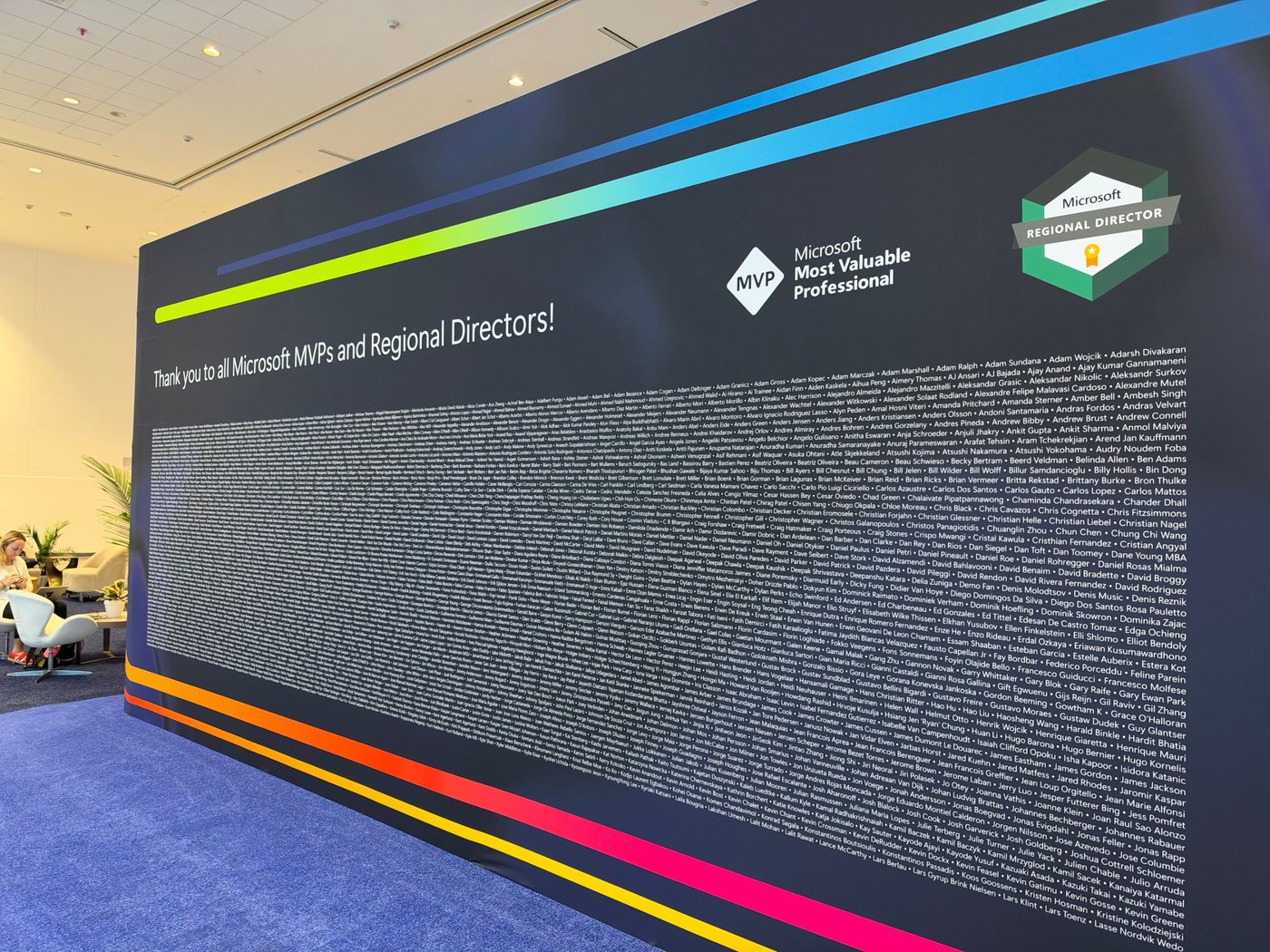
My name on the MVP and Regional Director thank-you wall at Ignite.
While Ignite was filled with automation and ways AI connects people, the genuine conversations and the knowledge I'm taking home are the biggest win for me. I had a blast meeting Arunesh and Jillian from the Edge team, and there are so many exciting things in the works there. Meeting Merill felt like a dream come true. He is an awesome guy and an Identity wizard, and meeting him in person was at the top of my to-do list.
I sat in the front row to listen to John Savill walk through the new items coming to Entra, then talked with the entire Entra product team afterward. That was an experience I won't forget.
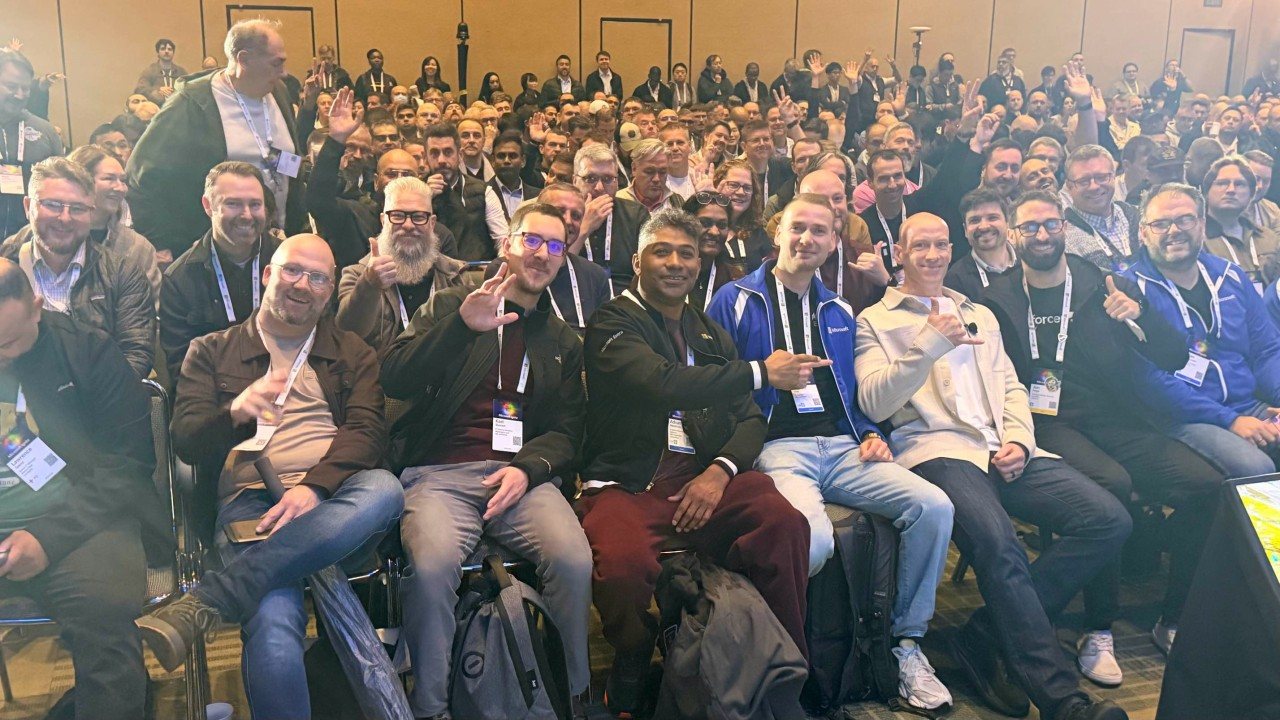
People I met · scroll
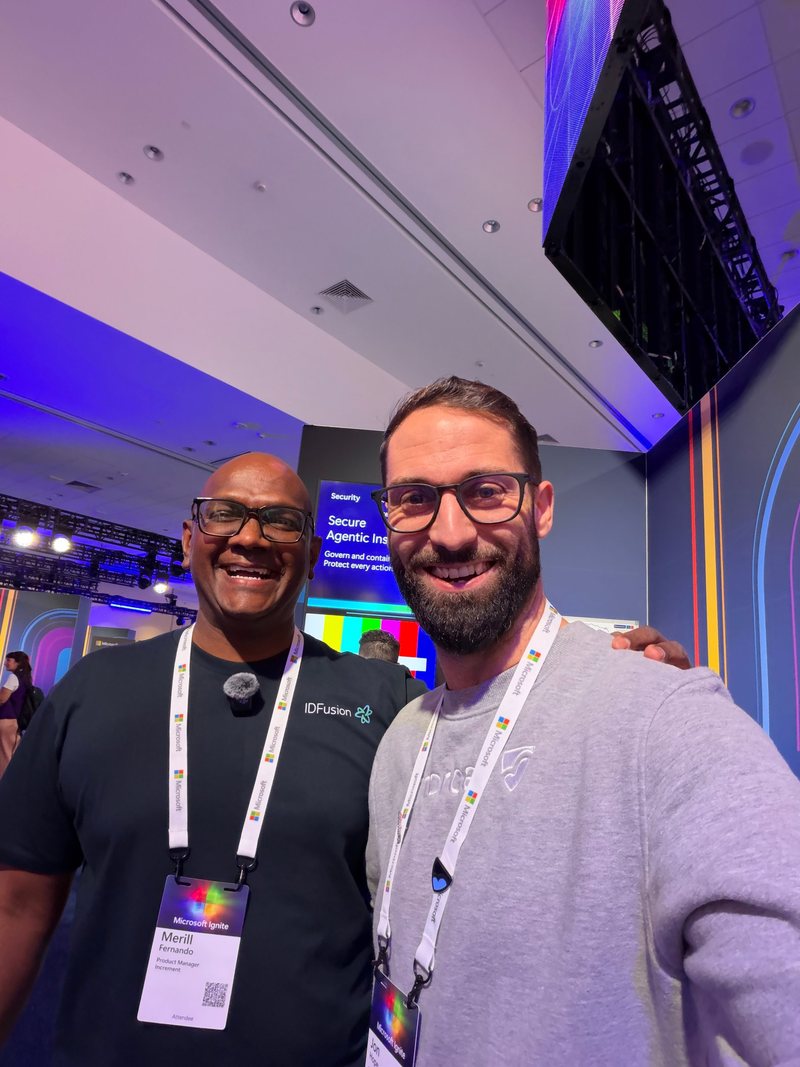
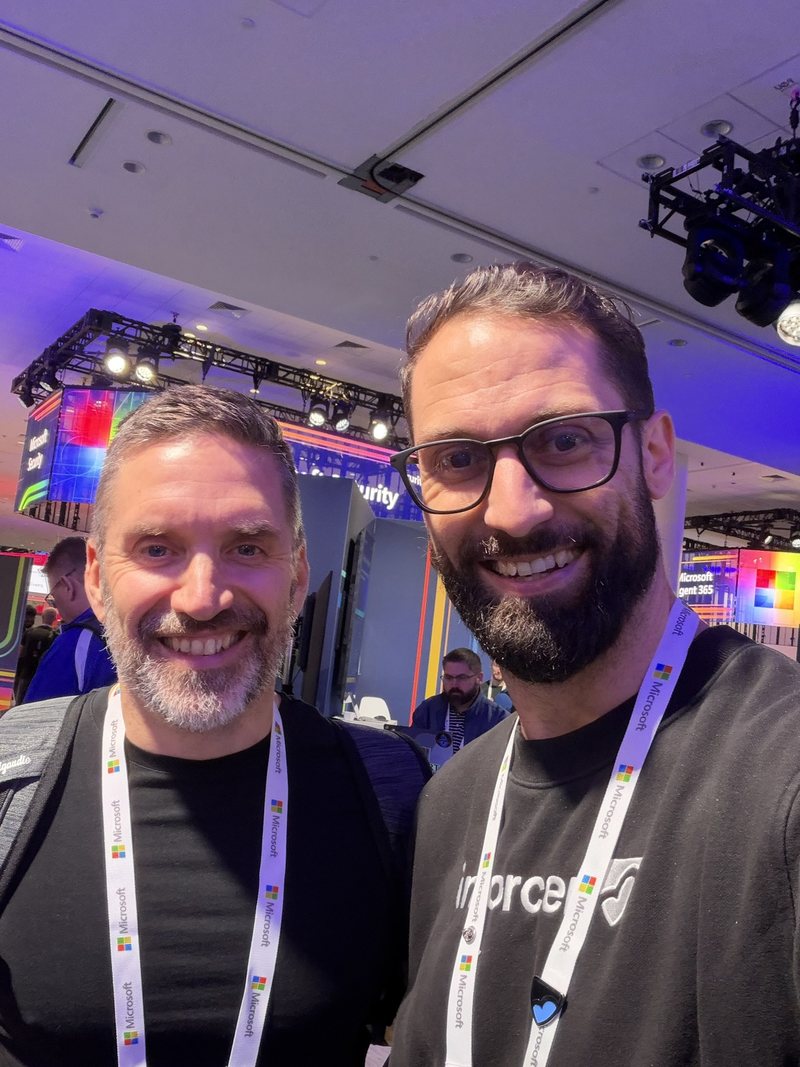
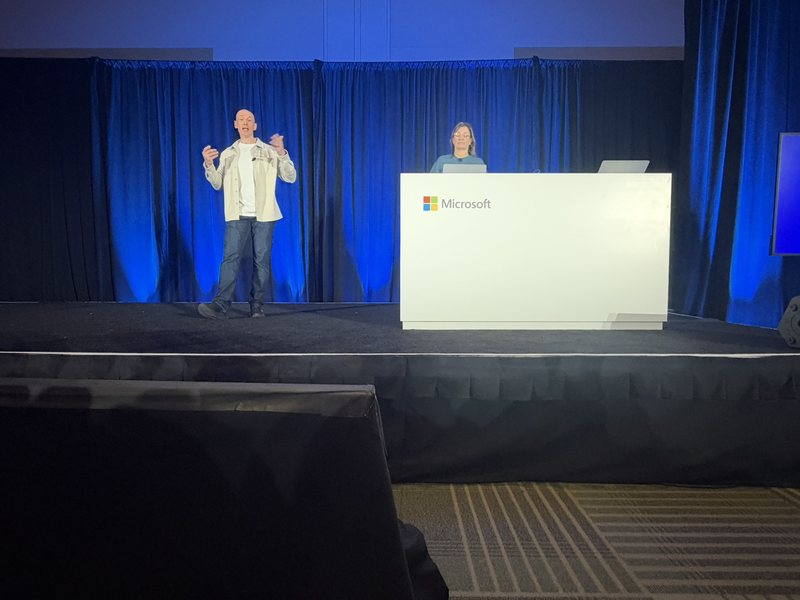
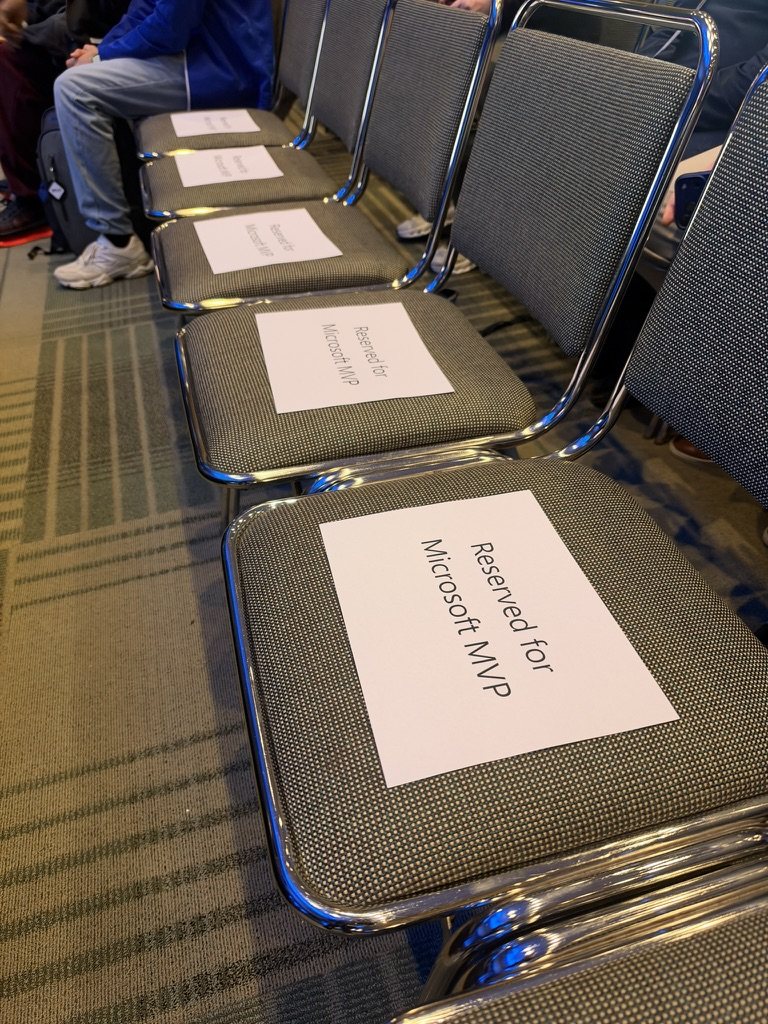
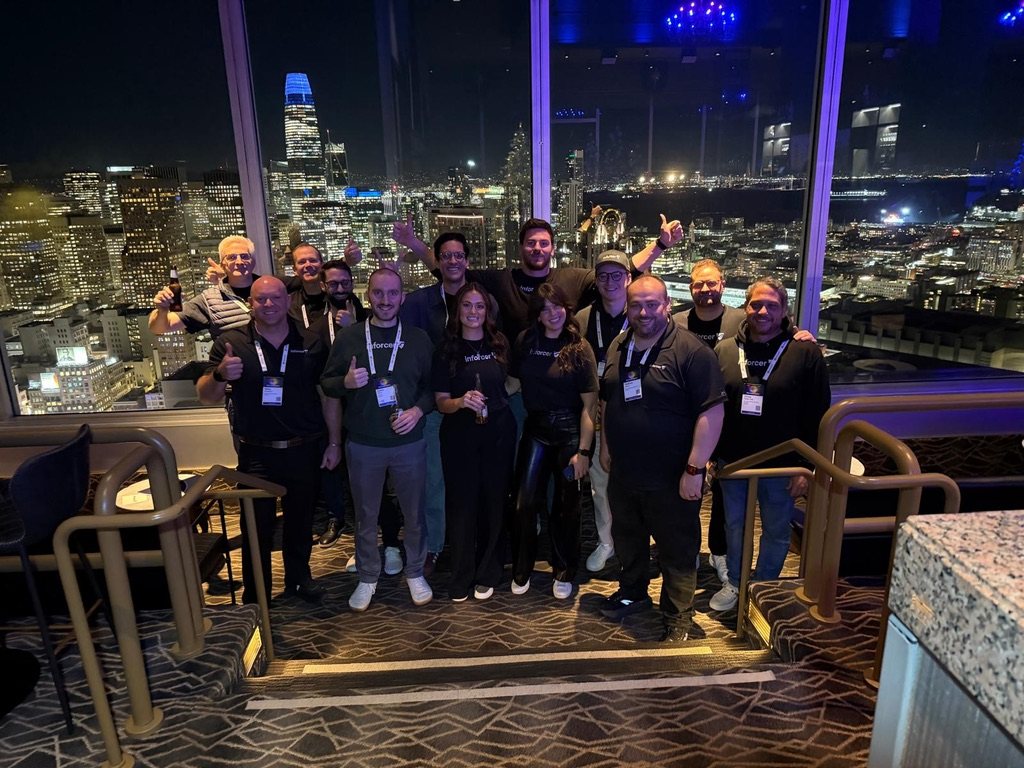
I can't leave out the Inforcer crew either. We explored all weekend, and Lewis and the rest of the team made it a blast, from our MSP Mixer to the GTA 6 giveaway at the Hub on the last day. We got out every day, rain or shine. Mostly rain.

The keynote and the sessions that followed all pointed the same way: AI, agents and Copilot. I get it. I use AI and Copilot every day and they save me a lot of time. I hate HTML editing, and this entire article is AI-rendered HTML that took a few minutes. Autopilot, the Entra MCP, GitHub Copilot Fusion, Workspaces, the new agent controls and FinOps were all highlights for me.
The catch is the price tag. A lot of the new AI and agent controls come with an enterprise license and a price tag to match (E7), and for most of the SMBs and MSPs I talk to, that is a hard pill to swallow. What still holds true is that every one of those features sits on top of something MSPs already manage: Conditional Access in Entra, patching and compliance in Intune, classification in Purview and policy in the browser. Getting those right does not need E7. Identity is where I spend my days, so that is where I start.
Identity Foundation: Best Entra Sessions of the week
Two Entra sessions stood out for me. BRK343 was my favorite, with John Savill, Yina Arenas and Nichole Peterson walking through the Entra announcements. THR1803 with Martina Grom came right behind it. If you only watch one session from Ignite, make it BRK343. Anytime John Savill is talking Conditional Access, I'm already in heaven. Strip away the agent branding and most of what they covered is the identity foundation we already know: phishing-resistant credentials, Conditional Access, just-in-time privilege and a lifecycle for every identity, now extended to agents.
BRK343: AI is changing access
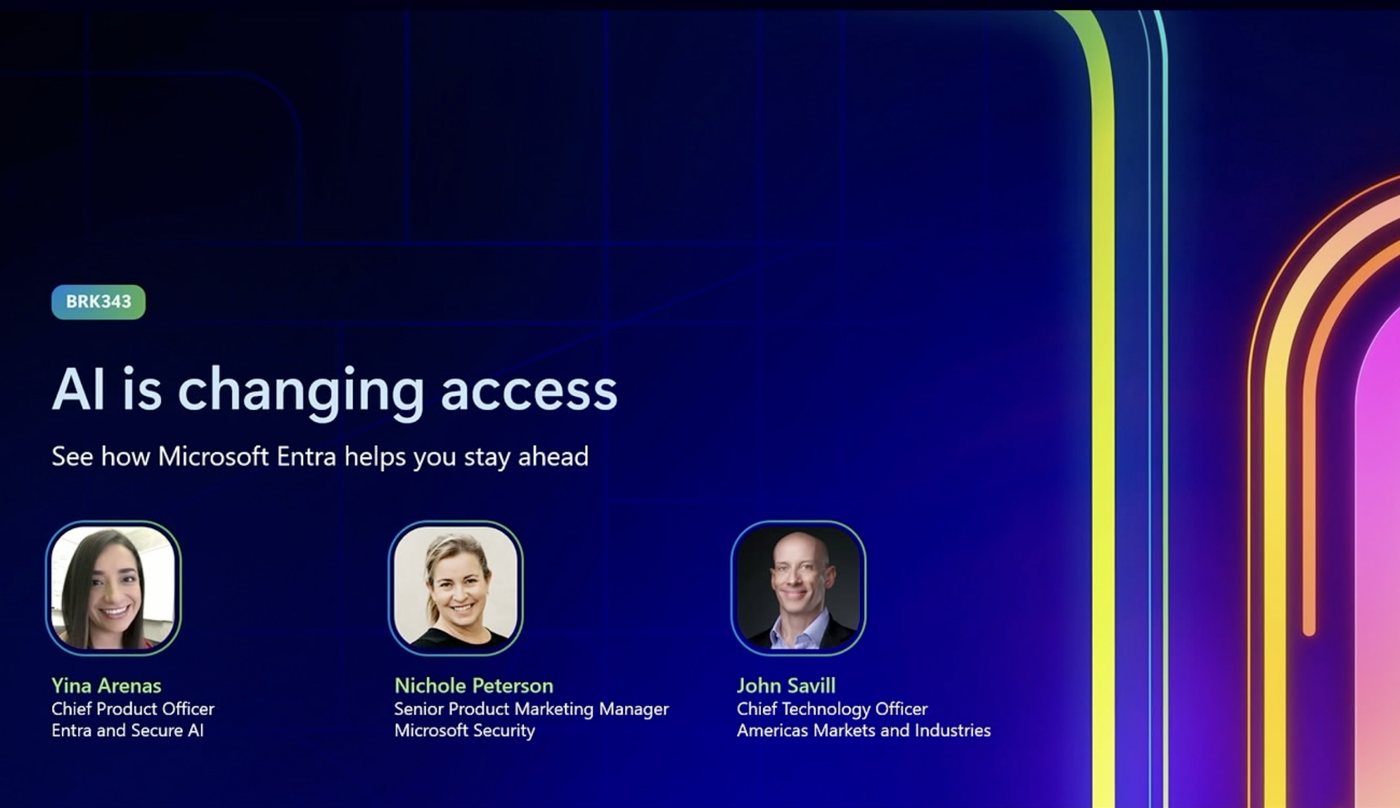 ▶
The session worked through essentially every item in the Entra Ignite post, 31 announcements in all. Five are marked generally available and the rest are in preview. The recording runs 46 minutes, and the chapters below follow the order it came in.
THR1803: Agents are the new service principals
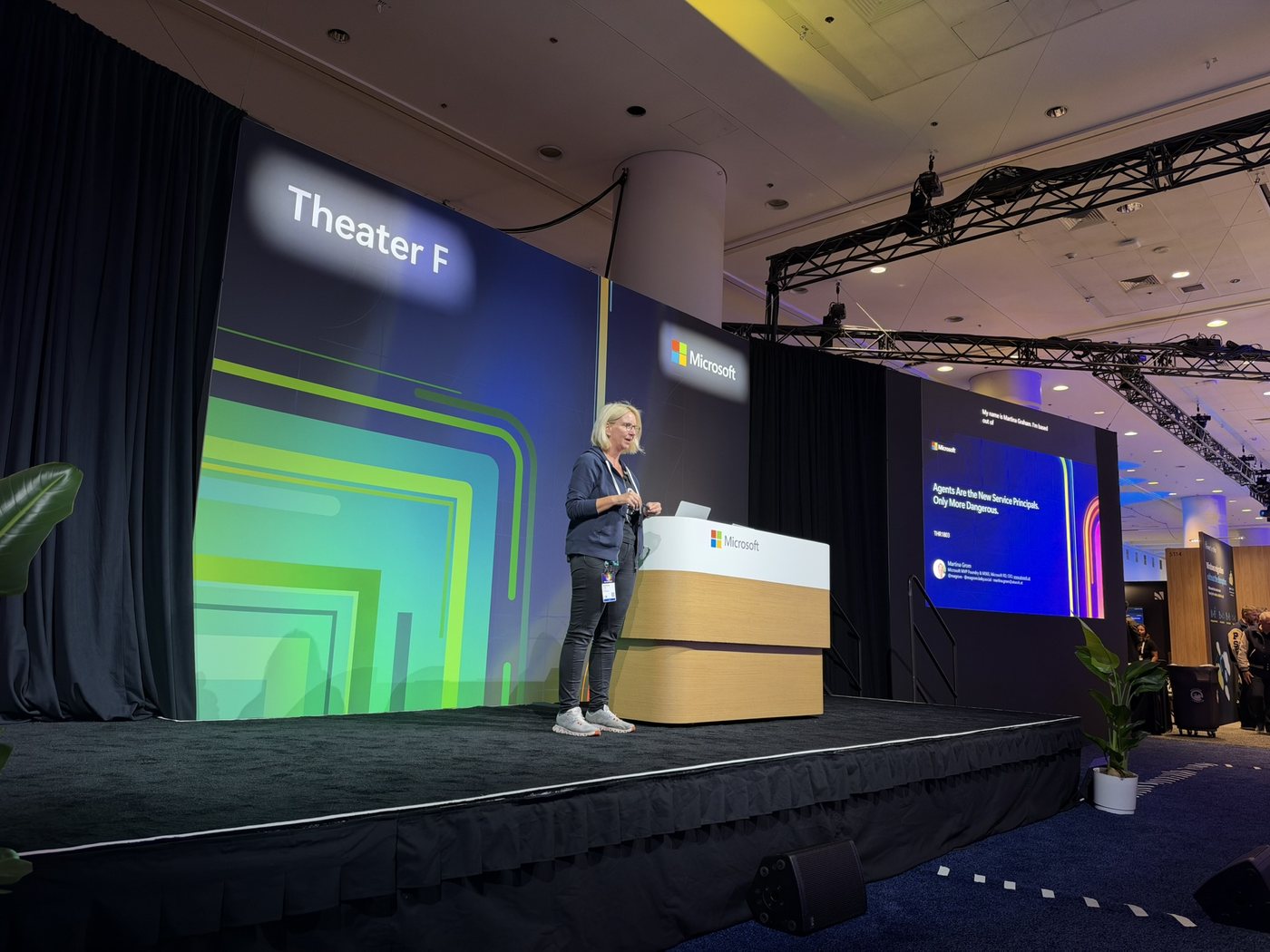 ▶
Martina Grom, an MVP for Foundry and M365, took a governance angle on agents. Her question was simple: you would not approve a service principal with no owner, unknown permissions and no retirement process, so why accept that for agents? An agent identity shares the service principal object model, but it holds no credentials of its own because the blueprint does, and one blueprint can sit behind many agent identities. Her advice is an owner on every agent alongside the required sponsor.
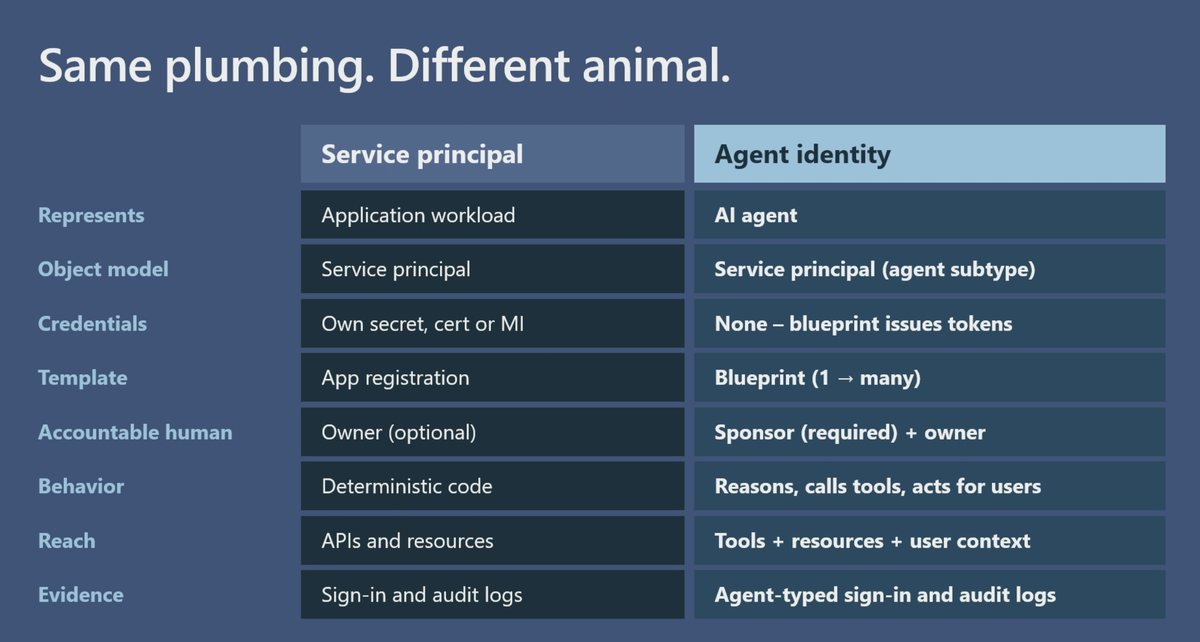
The demo made the point. Her Foundry agent had no permissions, and its blueprint had only a federated credential, so it looked locked down. Still, a prompt for HR data came back with results, because the Foundry project's managed identity had been granted access to the whole storage account. Each piece checked out on its own, but nobody had checked the combination. Review the blueprints as well as the agents, and look for managed identities that can still reach data the agent should not.
She closed with containment. Disabling an agent, disabling its blueprint, blocking it with Conditional Access and blocking it in Agent 365 each do different things, and none of them retires an agent. Her checklist before you approve one is identity, authority and reach, with a sponsor and an owner and a plan for retirement.
Ignite Book of News Entra announcements
The Ignite 2026 Book of News covers the headline Entra items, and the Entra Ignite post, AI is changing access, lists the full set. These are its 31 announcements, with the status Microsoft gave each one.
| Feature | Status | What it does |
|---|---|---|
| Strengthen your identity foundation | ||
| High assurance credentials | Preview | Combines passkeys with identity verification from partners such as AU10TIX, IDEMIA and CLEAR at onboarding, before sensitive access or meetings, and during account recovery. |
| Secure enterprise browser for BYOD with Edge for Business and Global Secure Access | Preview | Lets users reach private apps from a work profile in Edge on personal devices, with the Secure Web and AI gateway protecting browsing. |
| Expanded privileged access controls in PIM | Preview | Extends just-in-time access to more users, resources and AI agents, with session monitoring, AI-based least-privilege role recommendations, PIM-only mode and bulk management. |
| Conditional Access policy plans | Preview | Define shared policy intent once at the plan level and enforce it across identities, with templates that include ones for AI agents. |
| Advanced dynamic membership groups | Preview | Adds MemberOf Next and Transitive Reports To to keep groups aligned with existing memberships and reporting hierarchies. |
| ID Governance guest lifecycle policies | GA | Automates guest account reviews based on sponsorship, inactivity and invitation status, with reporting and sponsor actions. |
| Tenant Governance cross-tenant configuration management and resource policy | Preview | Deploy, monitor and enforce resource configurations and detect drift across all tenants from one view. |
| Multitenant management for Agent 365 and Copilot | Preview | Extends Tenant Governance to Agent 365 and Copilot so agents and AI settings stay consistent across tenants. |
| Entra Backup and Recovery | Not stated | Automatically backs up critical identity data, including agent identities and Conditional Access policies, so they can be restored to a known good state. |
| Entra Backup and Recovery Premium | Preview | Extends retention to 30 days and integrates with Microsoft 365 Backup. |
| Hard deletion protection | Preview | Protects critical tenant objects, such as Agent IDs, from permanent deletion. |
| Microsoft MCP Server for IT Admins | GA | Connects AI tools and agents to data in Entra, Purview and Intune for queries and administrative tasks. |
| Secure agent access | ||
| Agent ID for discovered local agents | Preview | With Defender and Global Secure Access, discovers 60 local agent types, including Claude Code and GitHub Copilot CLI, and assigns each an Agent ID. |
| Agent ID for digital teammates | Preview | Gives digital teammates their own agent user account and ID, so Conditional Access, ID Protection and governance apply separately from the human user. |
| Dynamic permissions for permission remediation | Preview | Finds agent identities with excessive privileges in connected business apps and supports investigation and remediation. |
| Automated lifecycle management of agent identities | GA | Lifecycle policies check for a sponsor, continued need and recent activity, then notify and disable or delete agents. A default inactivity policy that needs no license notifies sponsors and owners after 60 days of inactivity, disables the agent at 90 days and deletes it at 455. |
| Access packages for digital teammates | Preview | Assign access packages to digital teammates with approval and time-limit policies. |
| Dynamic Agent Risk | Agent 365 Preview | Continuously scores each agent's risk using signals from identity, data, endpoints, runtime and the agent's own activity, drawing on Entra, Defender and Purview. |
| Conditional Access policies for assistive agents | Preview | Distinguishes local agents from the people they act for, so a high-risk agent can be blocked while the employee keeps working. Adds an actions and destinations option to restrict sensitive operations. |
| Conditional Access support for Windows 365 for Agents | GA | Extends Conditional Access to the Cloud PCs that agents use. |
| Agentic traffic acquisition in Global Secure Access | Preview | Visibility and network controls specific to agents while keeping an existing SASE solution in place. |
| Agent type-aware network controls for local agents | Preview | Applies network policies to specific local agents on employee devices to control their access to resources and destinations. |
| MCP firewall | Preview | Enforces granular policies on agent-to-MCP traffic across servers, tools, resources, methods, protocol versions and connection security. |
| Data security over the network with Purview and Global Secure Access | GA | Applies DLP policies at the network layer to human and on-behalf-of agent traffic, including unsanctioned AI apps. |
| Customer identity (External ID) | ||
| Customization with HTML templates and JavaScript | Preview | Build branded sign-up and sign-in pages with custom HTML and JavaScript. Full availability is slated for December 7. |
| Bring your own UX authentication | Preview | Host fully customized authentication pages while External ID enforces access controls and manages SSO. |
| Sign-in with multiple first-factor methods | Preview | Customers sign in with a passkey, one-time passcode, or email and password. |
| Native Authentication API version 2 and SDKs | Preview | Simplifies embedding authentication in mobile and single-page apps and supports new External ID features as they arrive. |
| External ID AI agent toolkit | Preview | Skills that onboard existing apps to External ID by analyzing code, or migrate native apps from Native Authentication API v1 to v2. |
| Self-service credential management APIs | Preview | Lets customer-facing apps offer passkey registration and password updates through low-privilege delegated permissions. Email and phone management are coming soon. |
| Time-based one-time passcodes for external users | Preview | Adds a standards-based second factor for external tenants using Microsoft Authenticator or a supported third-party app. |
The Entra MCP: free, and easy to overlook
One identity announcement barely got airtime on stage: the Microsoft MCP Server for Enterprise, which the Entra Ignite post lists as the Microsoft MCP Server for IT Admins and generally available. It is also free. Learn lists no additional license for it. If you have been using Lokka, you can see where this is heading. An Entra MCP that can read your policy and tenant configuration is a huge help to MSPs, because it takes a lot of the pain out of managing M365 across tenants. It is also the clearest example I saw of what Microsoft is doing with AI and automation for admins, and I think it is the most exciting item in my book.
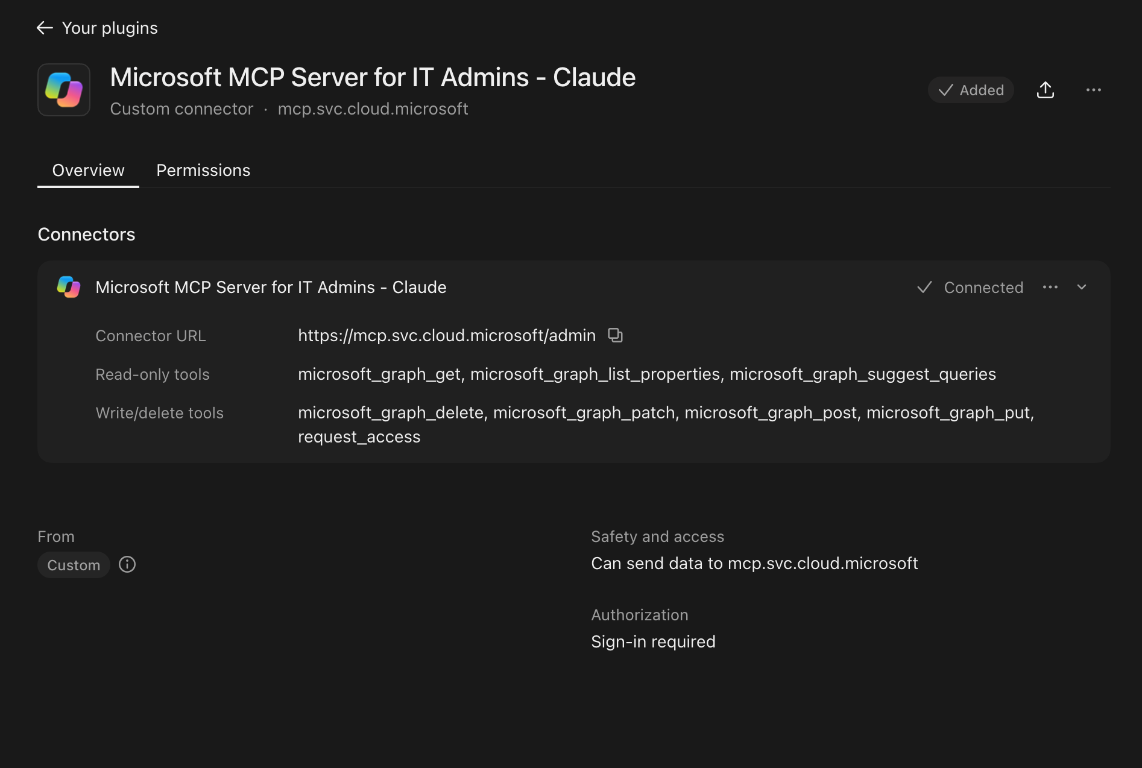
Microsoft has already renamed this to the Microsoft MCP Server for IT Admins and moved it to a new https://mcp.svc.cloud.microsoft/admin endpoint. The /enterprise endpoint below still works during a migration window, but new setups should follow the current IT Admins migration guide, which also changes how clients like VS Code get registered (every client now needs its own app registration — Microsoft's Learn get-started guide still describes the older /enterprise flow as of this writing).
It installs easily in VS Code with GitHub Copilot. It takes a little more effort to set up in ChatGPT or Claude, but it is worth every minute. Here is the Microsoft MCP Server for IT Admins connected to Claude as a custom connector, pointed at the current /admin endpoint.
Getting started with the Entra MCP
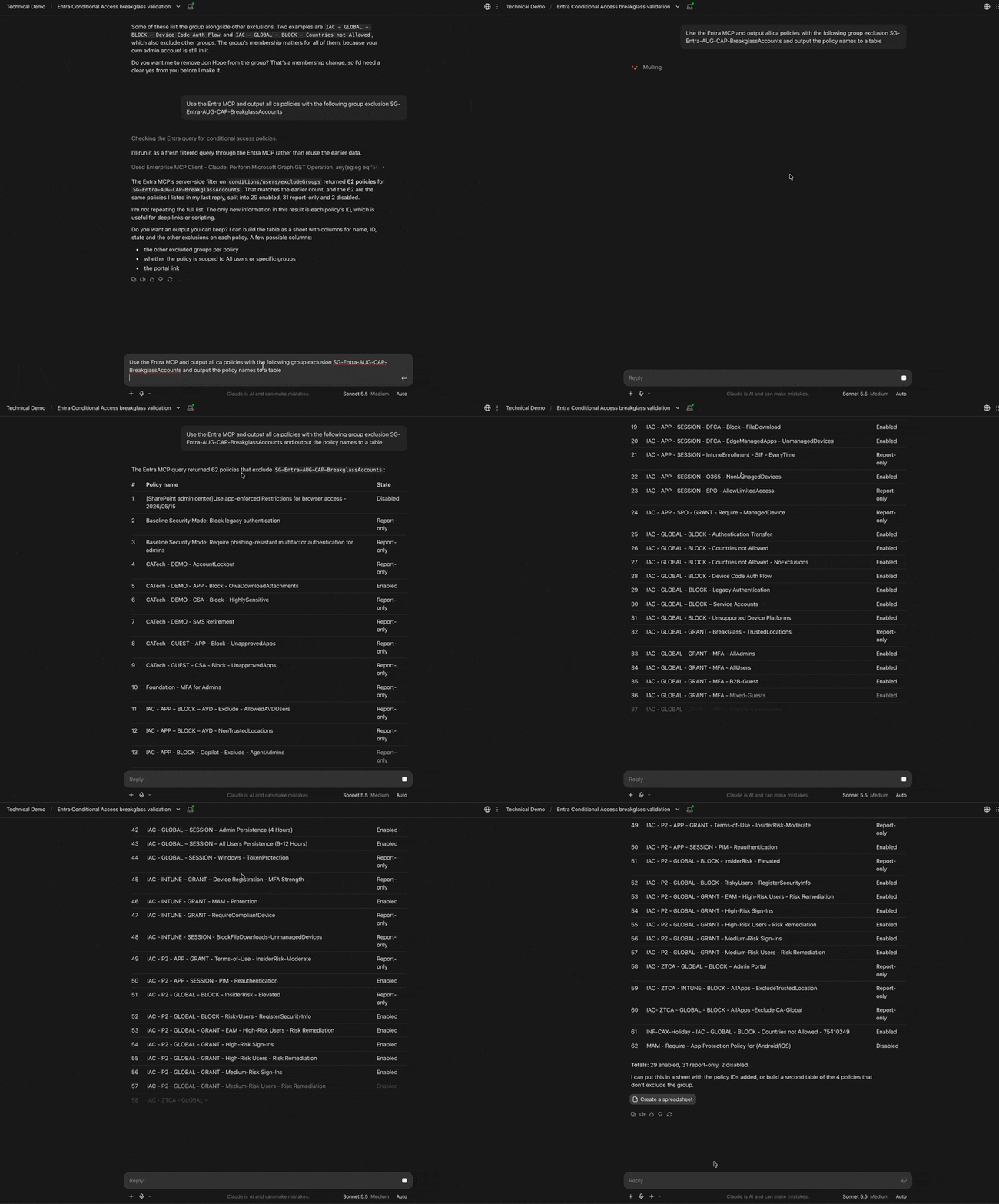
Microsoft's Get started guide covers the setup. Once it is connected, here is what a real question looks like: every Conditional Access policy that excludes my break-glass group, with the policy names in a table.
E7 Is Where Microsoft Is Headed, and Most SMBs Are Still Maximizing Business Premium
Microsoft is all in on E7, and after a week at Ignite I understand why. The price tag is easy to miss in all the excitement, though. I have seen forward-leaning MSPs ramp up E5 and E7 for their clients, and that is great to see. Most of the MSPs I speak with at Inforcer, though, are still working to get the full value out of Business Premium, and the goal at Inforcer is to make that simpler at scale.
The licensing question came up once the agent identity lifecycle discussion ended. E7. Almost every agent feature needed it, or an Agent 365 license on top of Entra P1 or Microsoft 365 E3. An enterprise can plan for that. For most SMBs it is a big step up. Microsoft is asking everyone to limit and control agents because agents are the next identity threat, and an SMB without E7 has fewer tools to do that with. There is one free starting point. Every tenant gets a default agent inactivity policy with no license required. It notifies sponsors and owners after 60 days of inactivity, disables the agent at 90 days and deletes it at 455. It allows only limited customization, so custom rules for sponsors and reconfirmation still need E7 or Agent 365, but it is worth turning on in every tenant you manage today.
I talked with people new to the field who genuinely wanted to know how to set up Intune and make Autopilot work, how to fix identity mistakes, and where to begin with data governance and Purview. The roadmap was packed, and the foundation and the basics got less airtime next to E7, agents and AI. Those are all good things to build. I would love to see more of "we see you, SMBs, and here is what's coming to Business Premium for you." That gap is where Inforcer can help.
I still think Business Premium is the end-all for any SMB. If security and data governance are top of mind, I'd add the Defender and Purview add-ons on top of it. That's already a stretch for a lot of smaller budgets, but for anyone taking security seriously I see it as the new middle ground. Past that, the price jumps. Microsoft lists E7 at $99 per user per month and Agent 365 by itself at $15 per user per month, both on an annual commitment.
The Entra Ignite post doesn't say which license any of these features need, so I went to Learn. The pattern holds up. To extend an Entra security control to agents, you need Microsoft 365 E7, or an Agent 365 license on top of at least Entra P1 or Microsoft 365 E3. Business Premium already includes Entra ID P1, and Learn lists it among the plans you can add Agent 365 to. So for an SMB, Conditional Access for agents is a per-user add-on, not a leap to E7. Dynamic permissions is the exception, since E7 is the only plan Learn lists for it. That's why the table below uses two tags instead of lumping everything under "E7."
| Feature | Status | License | What Learn says |
|---|---|---|---|
| Dynamic permissions | Preview | E7 ONLY | Licensing is not yet announced. During preview, Microsoft 365 E7 is the only plan listed. |
| Conditional Access for agents | Preview assistive agents GA Windows 365 for Agents | E7 / AGENT 365 | Applies to policies that target agents through Entra Agent ID. |
| Agent identity lifecycle policies | GA at Ignite Preview on some Learn pages | E7 / AGENT 365 | Custom lifecycle policies follow the same two routes. The default inactivity policy is the exception: it is available to every tenant with no license required. |
| Access packages for agents | Preview digital teammates | E7 / AGENT 365 | Listed under license requirements for assigning agents to access packages. |
| ID Protection for agents | Not stated | E7 / AGENT 365 | Learn says it will require an Agent 365 license "starting soon." |
| Network controls for agents | Preview | E7 / AGENT 365 | The Agent 365 service description gates agent network traffic monitoring and blocking, and marks it unavailable in GCC. |
| Dynamic Agent Risk | Preview | AGENT 365 | Announced as an Agent 365 feature. |
| Agent ID for discovered local agents | Preview | NOT LISTED | With Defender and Global Secure Access, finds 60 local agent types, including Claude Code, OpenAI Codex and GitHub Copilot CLI, and gives each an Agent ID. Agent ID itself is available to all Entra customers. |
| Agent ID for digital teammates | Preview | NOT LISTED | A separate agent user account and ID, apart from the human they work for. Conditional Access and governance on that account fall under the E7 / Agent 365 rows. |
| Network data security with Purview | GA | E7 OR PURVIEW E5 + INTERNET ACCESS | DLP at the network layer for human and on-behalf-of agent traffic, including unsanctioned AI apps. Through Global Secure Access it needs Microsoft 365 E7, or Purview E5 (or equivalent) plus Entra Internet Access (or equivalent) per user. With a non-Microsoft SASE or secure browser it needs Purview E5 plus Purview pay-as-you-go billing. |
| Guest lifecycle policies | GA | NO E7 GATE | Needs at least one Entra ID Governance or Entra Suite license in the tenant, plus a connected Azure subscription. Governed guests are billed monthly per active guest with no free tier. Business Premium and E5 do not include ID Governance, so this is an add-on. |
| Tenant Governance | Mixed | NO E7 GATE | Entra P1, which Business Premium includes, covers single-tenant drift monitoring (up to 800 configuration resources per day) and governance relationships with cross-tenant GDAP. Related tenants discovery, custom multitenant app provisioning and most resource policy operations need ID Governance. |
E7 includes all ID Governance features through the Entra Suite and Agent 365, so the untagged rows are covered if you own E7. They are just not the reason to buy it.
The Defender Suite for Business Premium adds Entra ID P2, Defender for Identity, Defender for Endpoint Plan 2, Defender for Office 365 Plan 2 and Defender for Cloud Apps. The Purview Suite covers the data side, and it includes Endpoint DLP, which I treat as necessary for protecting the endpoint because it monitors and protects sensitive data on the device itself. That is a real step up for an SMB, and it is why I'd put both suites on top of Business Premium. The agent controls in the table are still licensed separately through Agent 365, so you don't get full agent lifecycle and security, and you miss the Global Secure Access AI controls at the network level. The MCP firewall and agent traffic controls are in preview, and the Agent 365 service description gates agent network monitoring behind E7 or Agent 365.
Purview: Classification Is Still the Foundation, and It Is Getting Faster
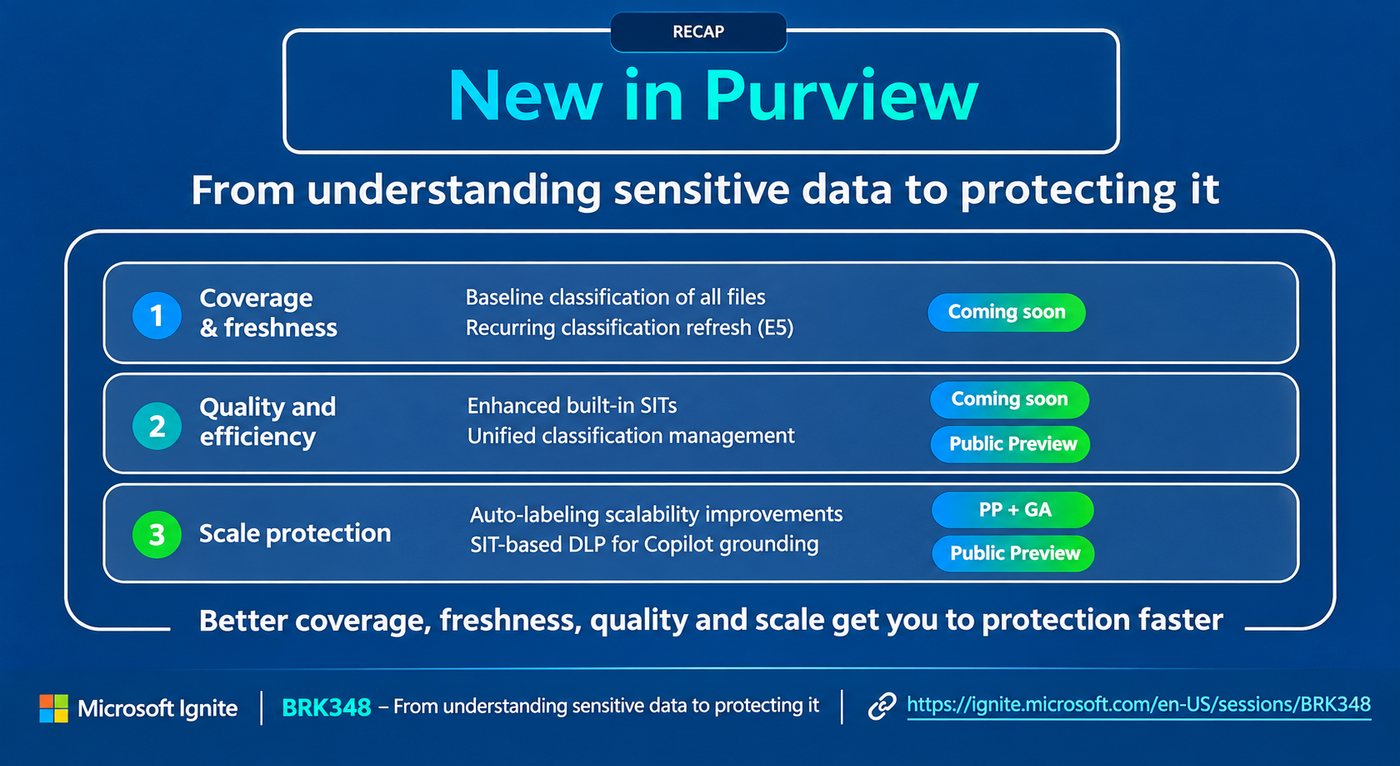
I caught BRK348, Microsoft Purview: From understanding sensitive data to protecting it, with Aashish Ramdas and Chui Yeung. The session page on the Ignite hub has the details, and the recording is linked from the slide below.
The Book of News Purview section covers three items, all in preview: faster time to protection through automatic classification and labeling, DLP for Copilot that blocks references to sensitive files even when they are unlabeled, and data security for AI agents on Windows. The classification and SIT work is the part of this list I'm most excited about. DLP, sensitivity labels and Copilot protections only work as well as the classification underneath them, and for most SMB tenants classification is the step that never got finished.
 ▶
The slides below are the ones I photographed in the room. They walk through the three challenges the session set out and the new Purview work that answers each one.
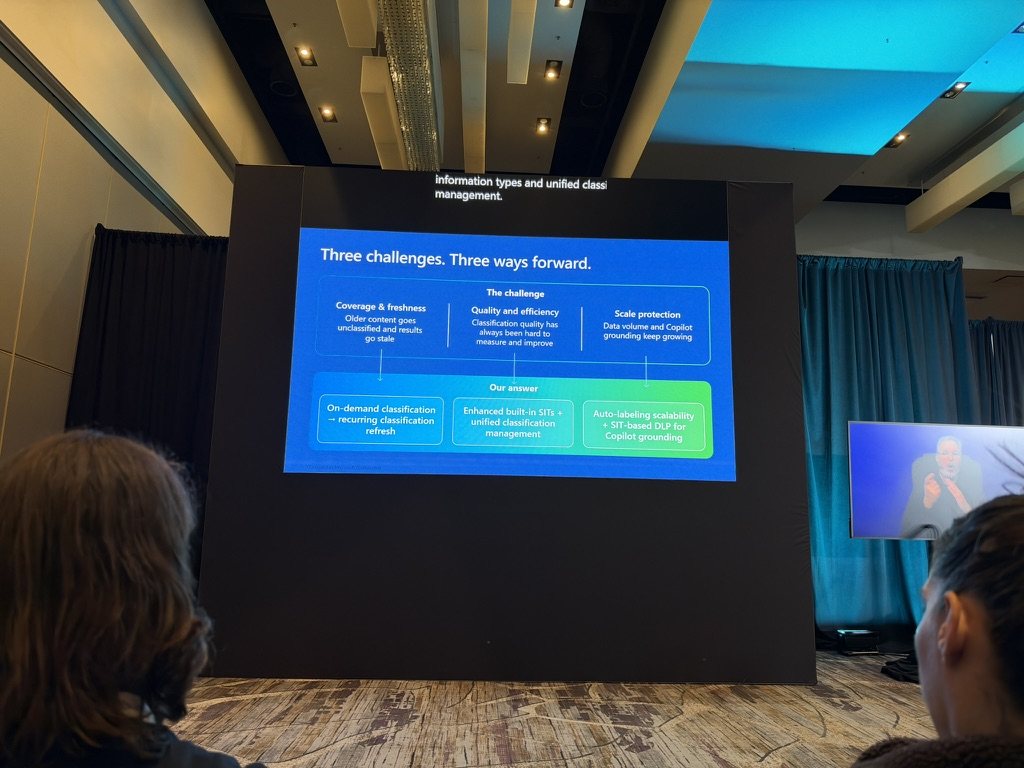
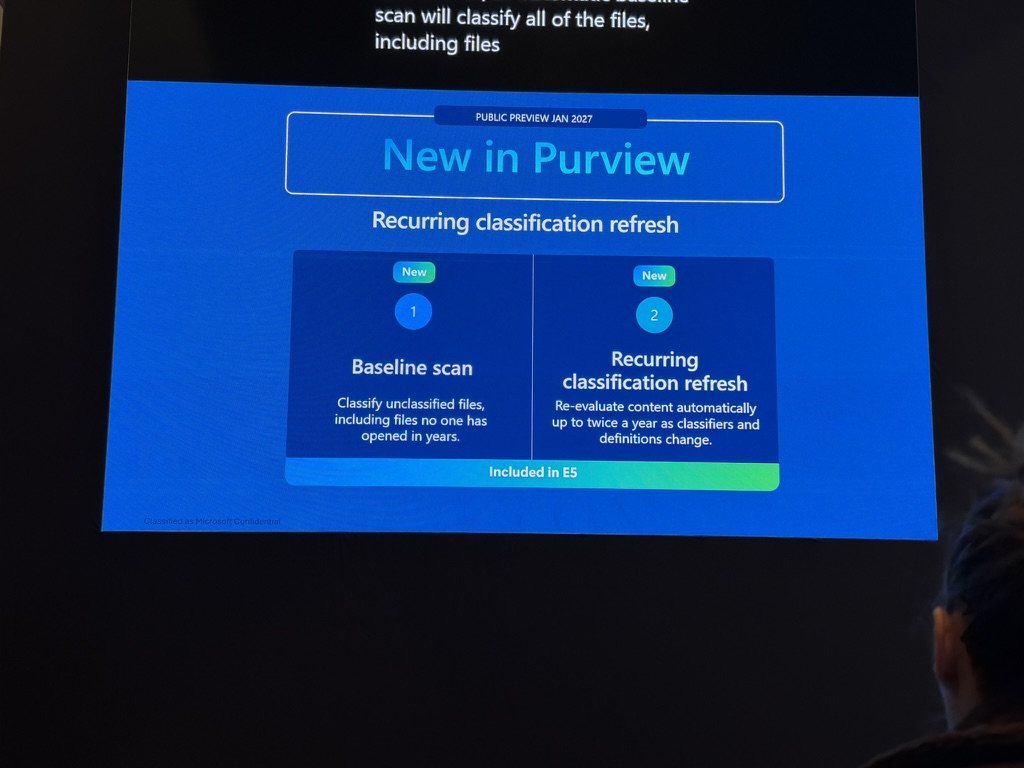
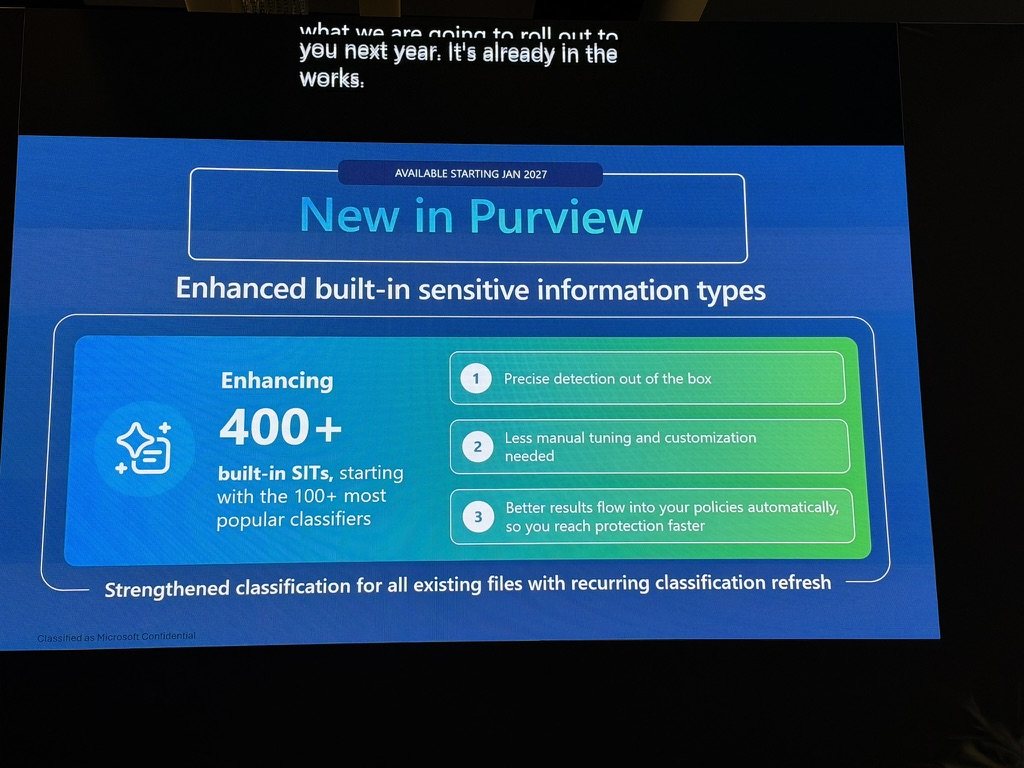
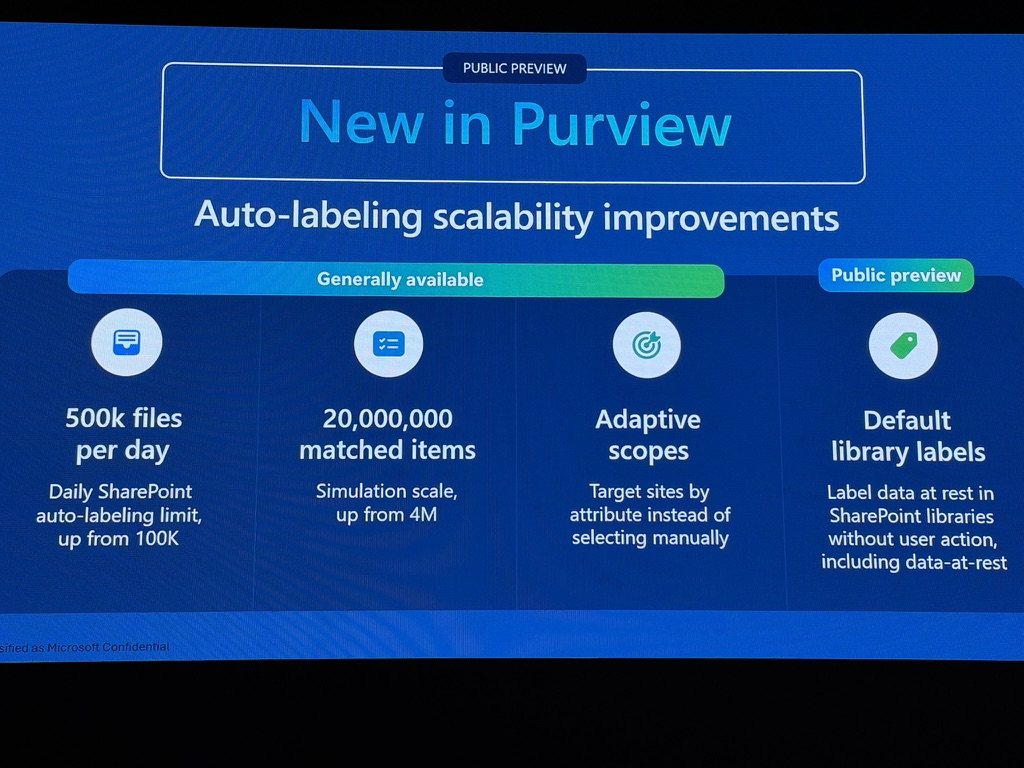
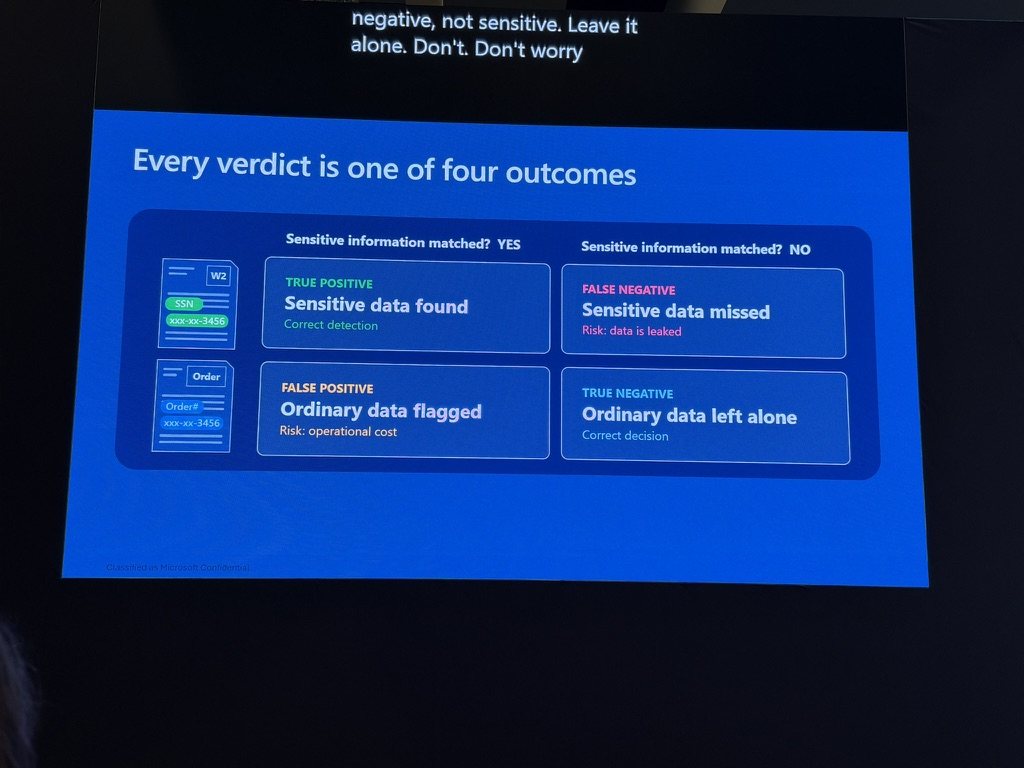
The Book of News lists this work as preview. Recurring classification refresh reaches public preview in January 2027, and the enhanced built-in SITs start rolling out in January 2027. Most of the auto-labeling scale work is already generally available. The baseline scan and recurring refresh were presented in the session as included in E5.
The Agent 365 service description lists these Purview controls for agents as requiring E7 or Agent 365: audit and eDiscovery of agent interactions, Data Lifecycle Management, Compliance Manager, DSPM with AI observability, Insider Risk Management, sensitivity label inheritance and DLP. None are available in GCC. E7 / AGENT 365
Two demos are worth jumping to in the recording. At 10:49 a DLP policy keeps a sensitive contract out of Copilot responses, and at 26:42 the session shows DLP for Copilot based on sensitive information types. The session hub also lists a unified classification page as available in public preview.
Resource Policy Blocks Changes. Configuration Management Reports Drift
Tenant Governance is the other piece I wanted to cover, because it speaks directly to multi-tenant management. Knowing what a tenant's configuration should be, and catching it when it drifts, is the most basic job an MSP has. The Entra post bundles "cross-tenant configuration management and resource policy" as one Preview line. Learn splits them. Configuration management detects drift from a baseline. Resource policy evaluates supported Microsoft Graph requests before the change happens and can block it.
| Piece | Status | Notes |
|---|---|---|
| Tenant Configuration Management APIs | GA | Snapshots, baselines, monitors and drift detection. Snapshots are kept for 7 days. |
| Configuration baseline templates | Preview | Reusable baseline definitions across monitors and deployments. |
| Configuration deployments | Preview | Apply baseline settings to the home tenant or governed tenants. |
| Cross-tenant monitors | Preview | Needs an active governance relationship plus delegated permissions and workload access. The relationship alone does not grant every workload permission. |
| Resource policy | Preview | Custom policies are written in Rego. Built-in policies take parameters only. Most operations need an ID Governance plan during preview. |
| Multitenant management for Agent 365 and Copilot | Preview | Keeps agents and AI settings consistent across tenants. |
| Backup and Recovery | Not stated | Automatically backs up critical identity data, including agent identities and Conditional Access policies, so they can be restored to a known good state. |
| Backup and Recovery Premium | Preview | 30-day retention, integrated with Microsoft 365 Backup. |
| Hard deletion protection | Preview | Protects objects such as Agent IDs from permanent deletion. |
Cross-tenant configuration management is included in Tenant Governance Basic, and Premium licenses add monitoring and snapshot capacity. Governance relationships with cross-tenant GDAP work with P1, P2 or ID Governance. Resource policy is the licensing outlier and needs ID Governance in preview. For an MSP that split matters: cross-tenant drift reporting sits in Tenant Governance Basic, while enforcement needs ID Governance on top.
Each assignment runs in doNotEnforce or enforce mode. An enforce assignment can block a request even when another assignment on the same request is in doNotEnforce. It only evaluates new requests, so it never scans or fixes existing resources, and the preview gives you audit events with no aggregated impact report. Learn recommends simulated evaluation first, then doNotEnforce with the audit-log API, then enforce.
Intune: Patching and Compliance Are the Foundation, and Speed Is the New Bar
For Intune I followed BRK404, What's New in Intune: Secure, Patch, and Scale, with Eugenie Burrage and Jason Roszak. The recording is below, and the session page on the Ignite hub has the details. The first portal walkthrough starts at 5:16.
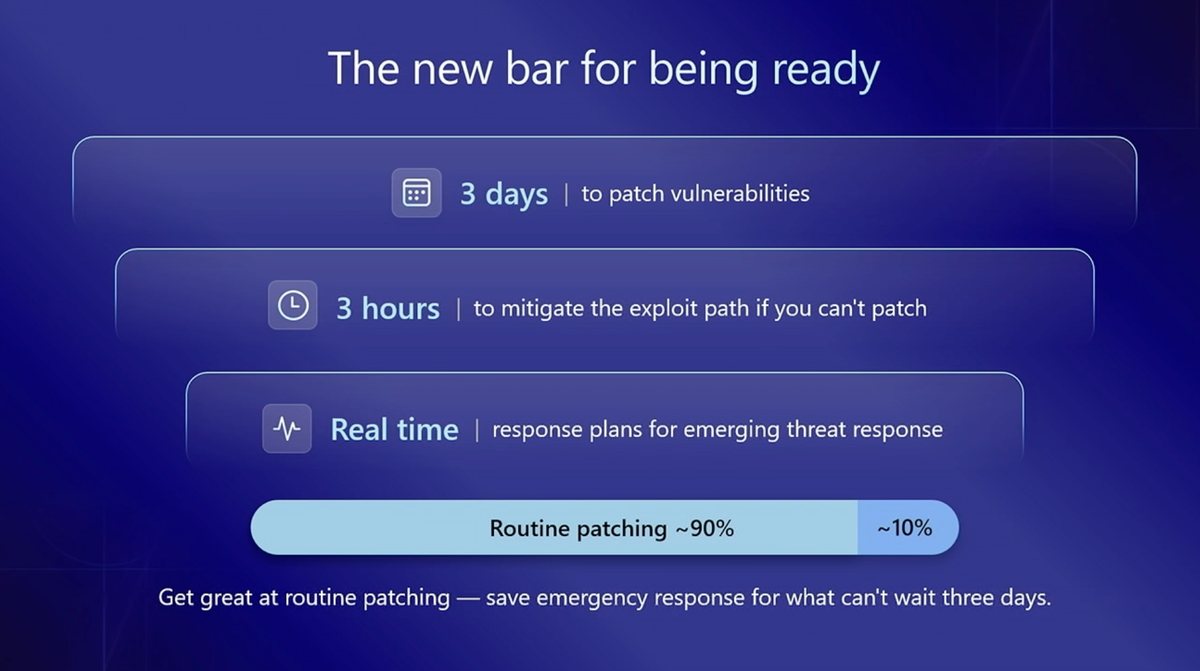 ▶
The theme of the session was how AI is changing the device landscape. Supporting servers was crucial, but the speed of AI is now shifting the endpoint too, and the Intune team is working to make speed Intune's middle name. They showed improvements to app compliance, updates and patching, and how much faster compliance check-ins and enrollment have become. The question running through it was how fast you can maintain device health, with AI to troubleshoot faster through Copilot for Windows and Project Perception to help teams automate more of what they do. None of that replaces the basics. Patch rings, compliance policies and enrollment still have to be set up correctly in every tenant before AI can speed anything up.
The slides below walk through the landscape the session described, from the size of the estate to the patching numbers.
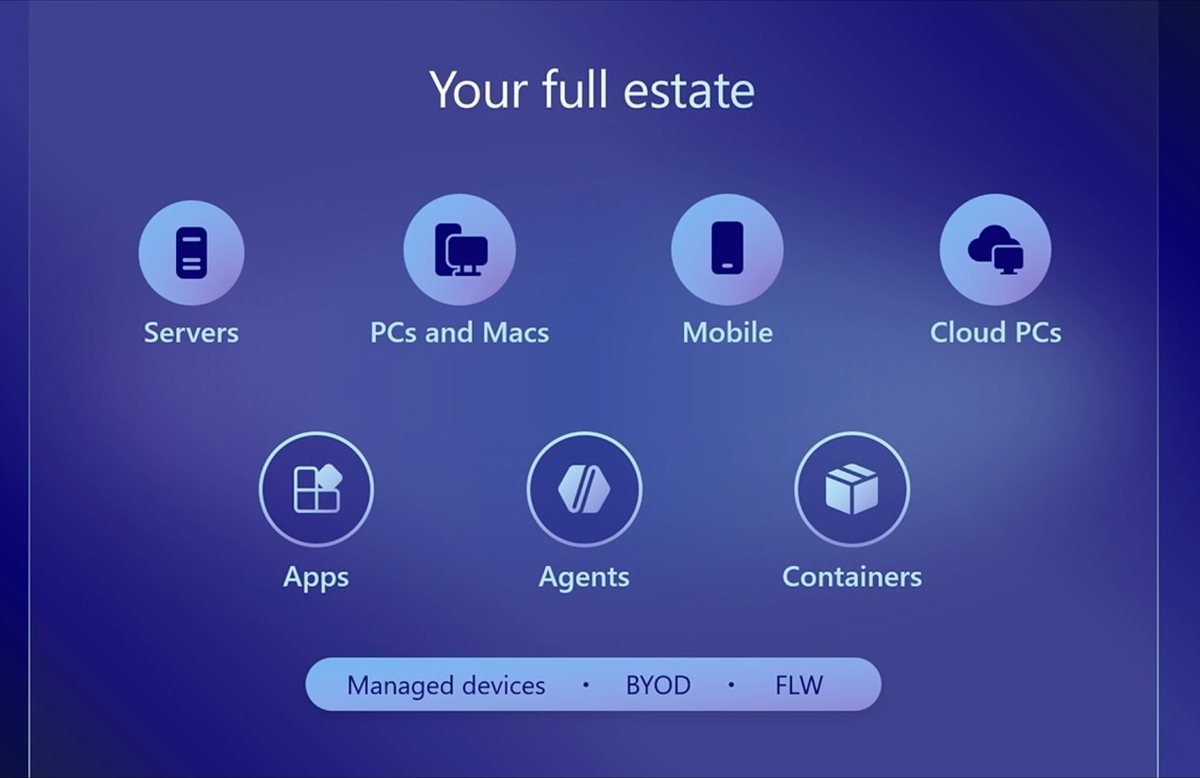
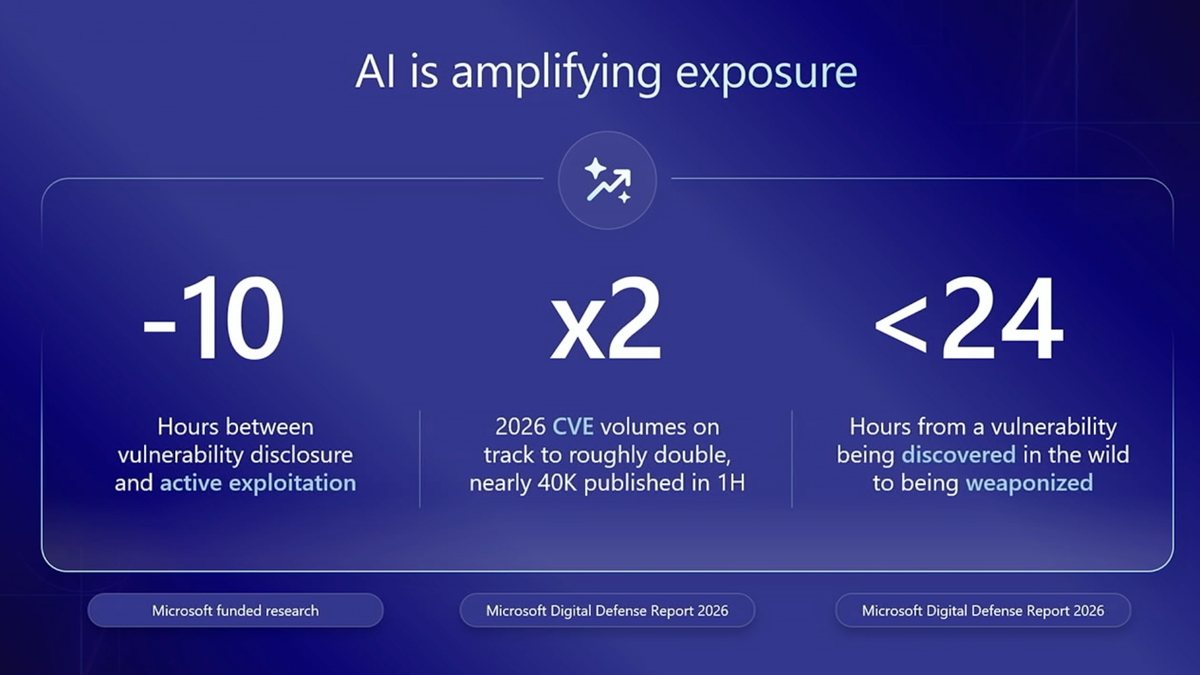
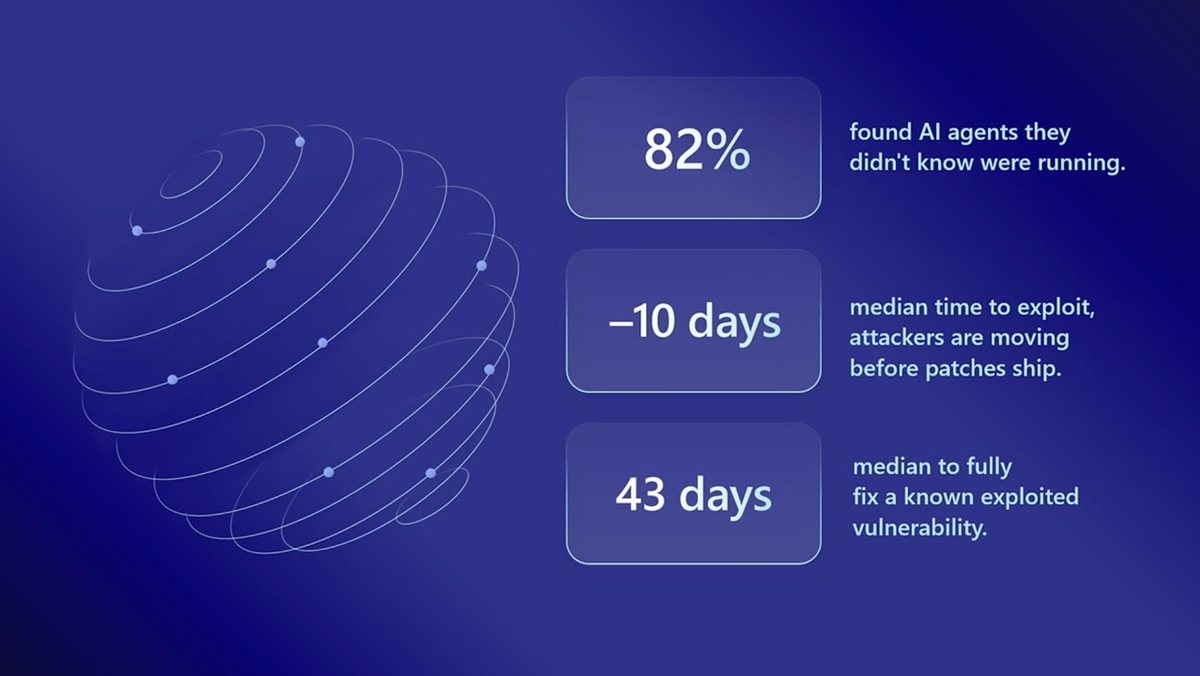
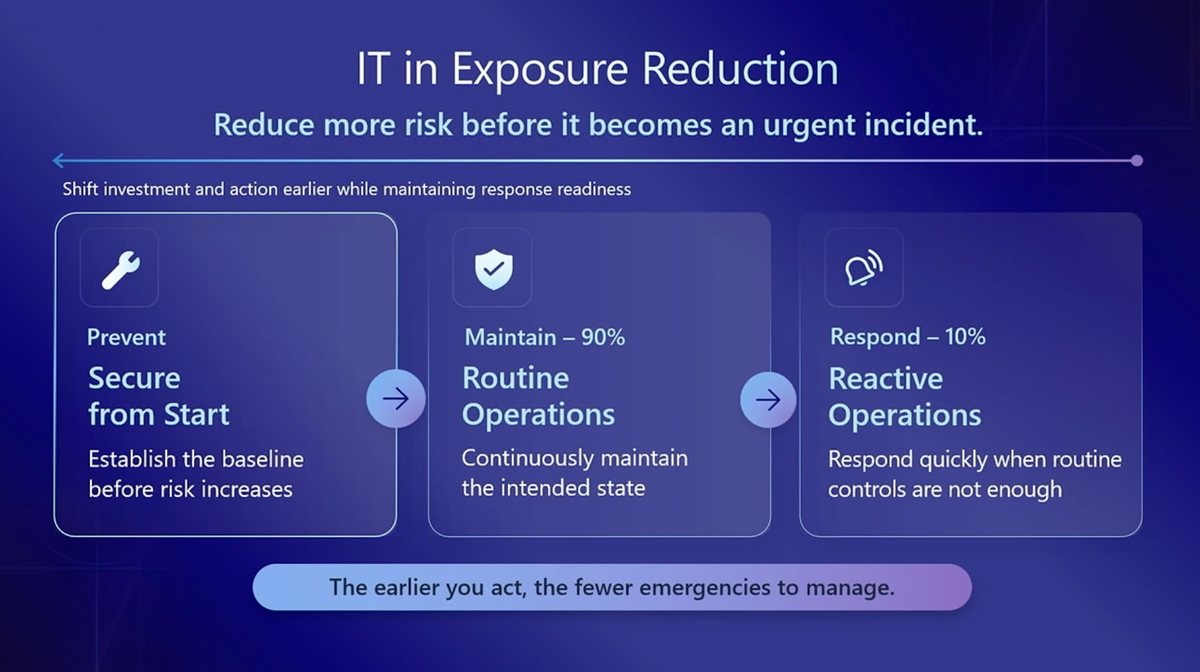
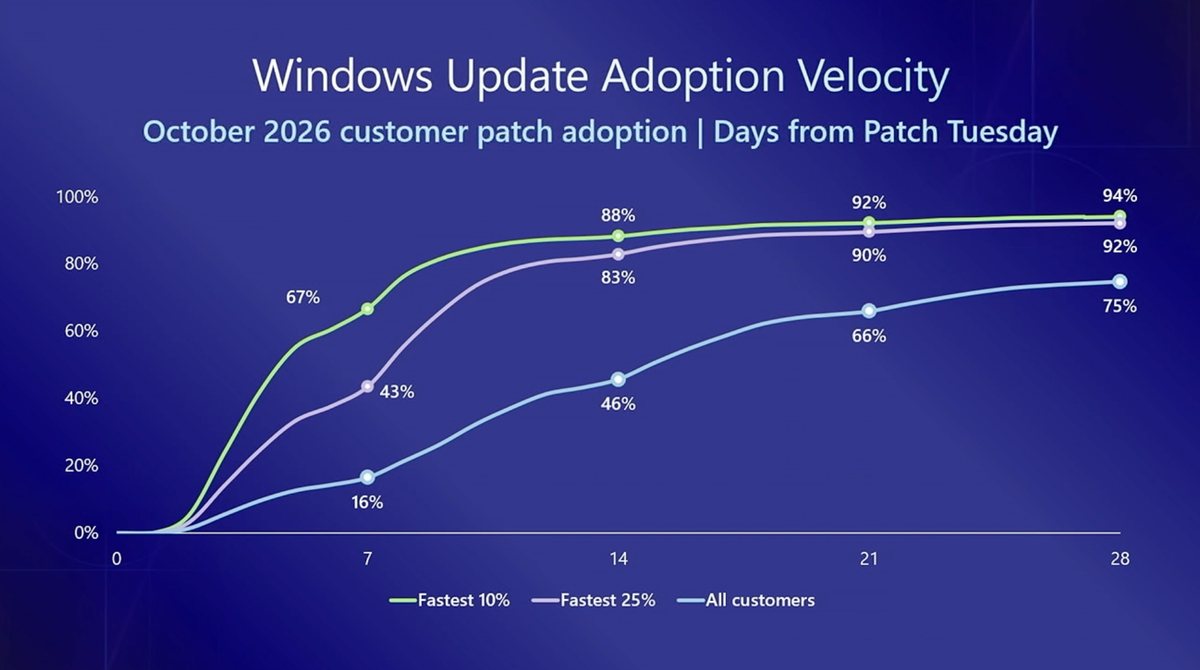
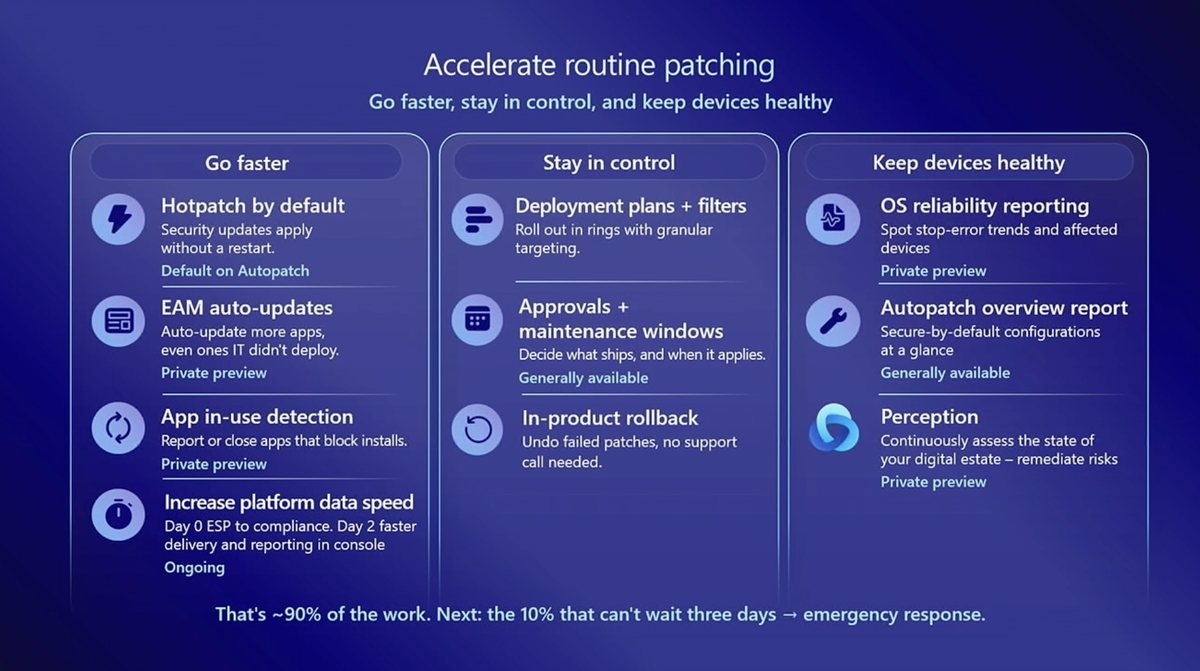
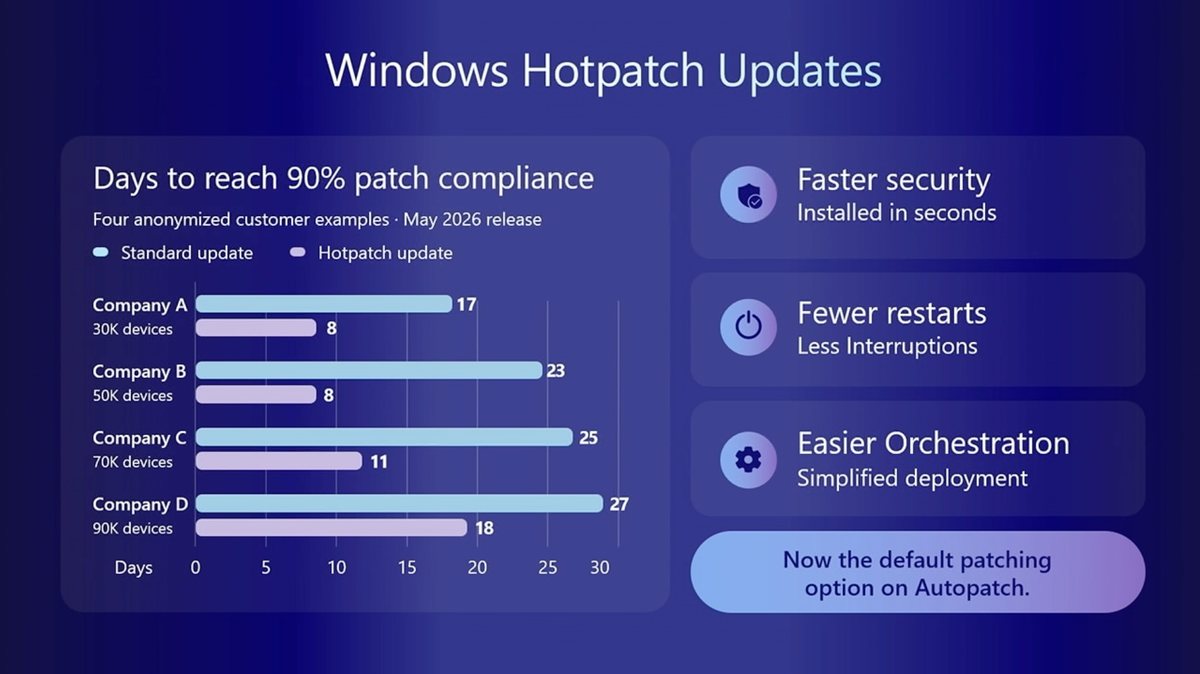
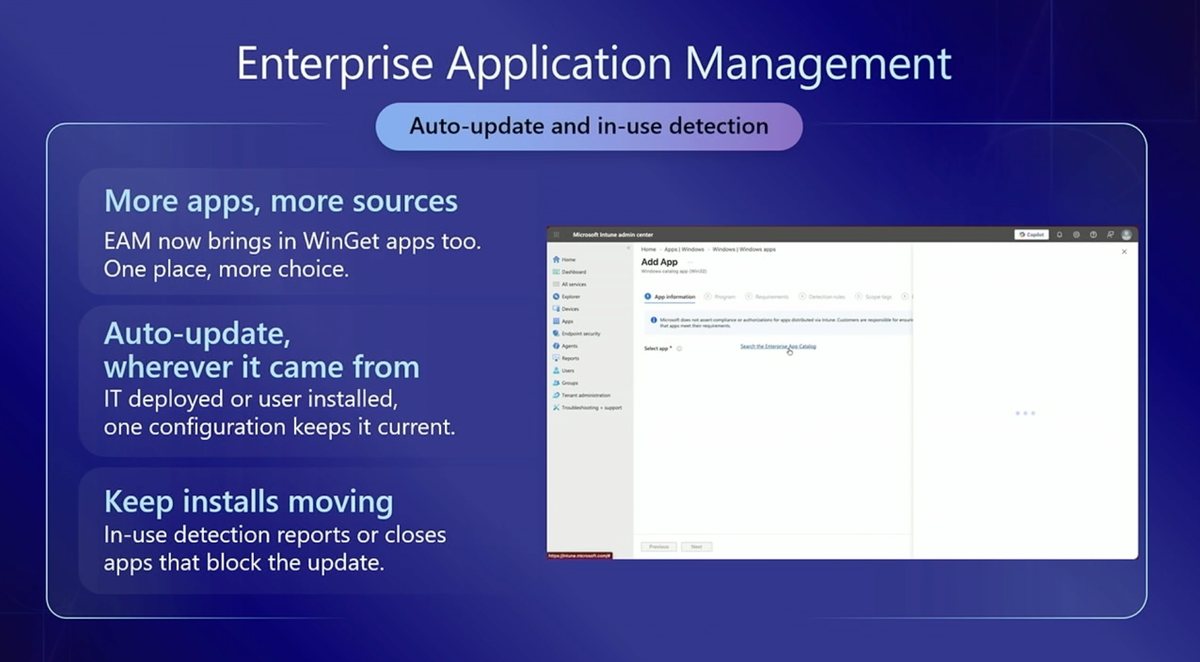
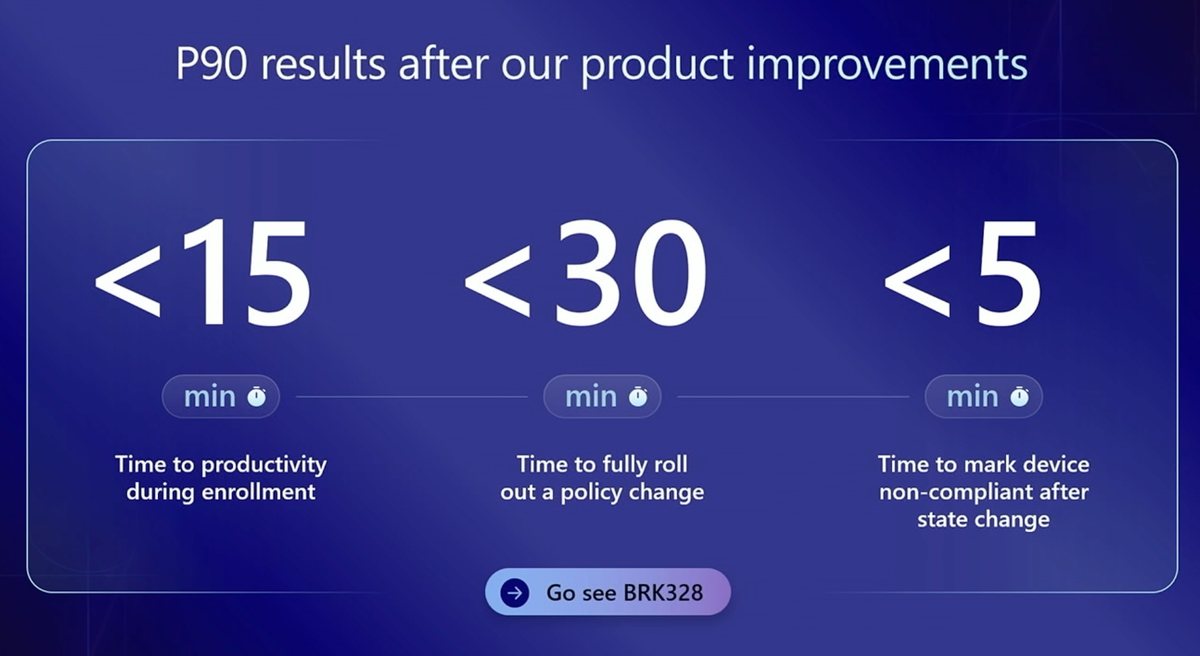
BRK404 also covered finer patch rings, Device Health reporting, an agent that prioritizes vulnerabilities and prepares remediation for admin approval, and shielding for devices that cannot be patched yet. It showed software compliance policies flagging unapproved local AI agents, which is in preview.
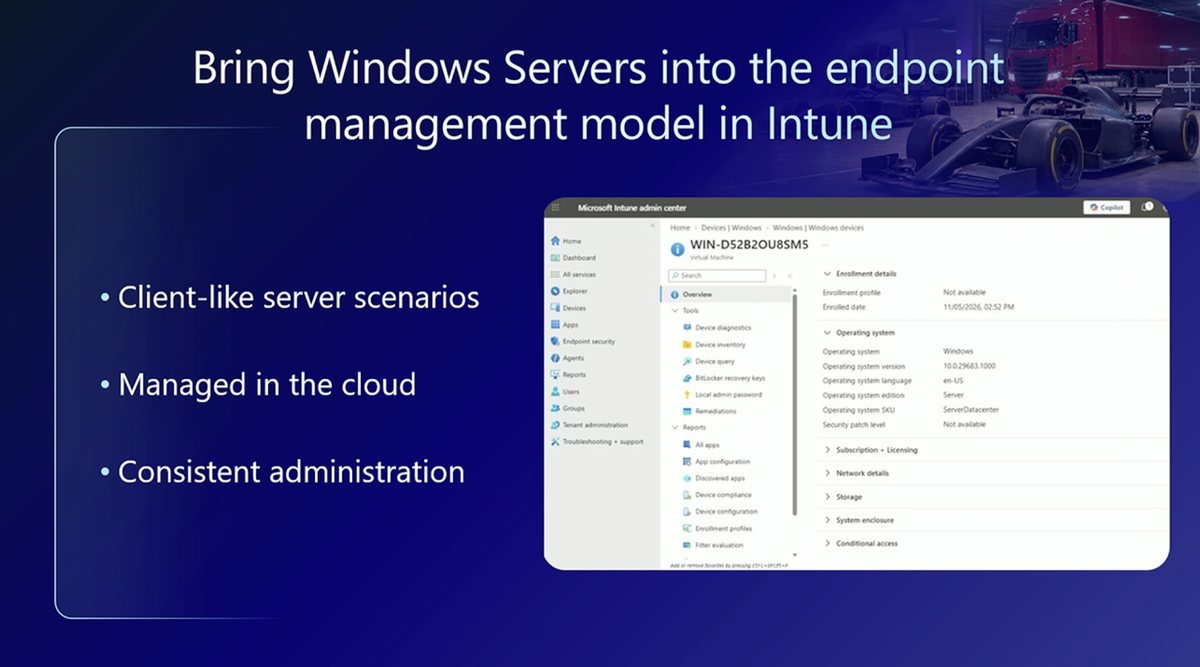
BRK328, What's New in Intune: Trusted device and app foundation for AI, with Sangeetha Visweswaran and Kevin Odom, is where the BRK404 slide sends you for the speed numbers. Its core message is that AI is only as trustworthy as the device, identity and app foundation beneath it. It brings Windows Servers into the endpoint management model in Intune, with client-like server scenarios, cloud management and consistent administration. Windows Server management is Insider preview only. The server enrollment demo starts at 6:06 and event-driven app inventory updates at 16:20. The session also covers the vulnerability remediation agent. Both sessions are worth a look for Intune advancements, and the BRK328 page on the Ignite hub has the rest.
 ▶
The Ignite Book of News lists local AI agents governance in Intune as available in preview, and points to the Intune Ignite post for the rest. These are the Intune items from that post.
| Feature | Status | Detail |
|---|---|---|
| Software compliance policy | Public Preview | Marks Windows devices running specified unsanctioned agents noncompliant, so Conditional Access can block access. Restricted apps are identified by MSI product code. |
| App protection for AI apps | Not stated | Microsoft Copilot, GitHub Copilot, Anthropic Claude and OpenAI ChatGPT have integrated the Intune SDK. |
| Microsoft Execution Containers policies | Rolling out | Administrator-defined file and network guardrails for supported agents. |
| Vulnerability Remediation Agent | Limited Public Preview | Builds and runs remediation playbooks from Defender intelligence and Intune context, including automated app and OS patching. |
| Windows Server management | Insider Preview | Edge, branch and persistent virtual desktop session servers managed through Intune, with Autopatch handling updates. |
| Device-level app inventory | Public Preview | Richer application details and reporting. |
| Enterprise App Management automatic updates | Private Preview | Automatic updates for eligible verified Windows apps, including apps IT did not deploy. |
| App in-use detection | Private Preview | Finds running apps that could block an install, with options to close the process. |
| CIS benchmark auditing | Public Preview November | Added to Advanced Analytics next to DISA STIG auditing. Assess device groups and track alignment without changing device settings. |
| AI-powered Perception experience | Limited Public Preview | Plain-language questions become multi-step investigations with reviewable queries. Custom Reports go to customers onboarded to Perception. |
| Autopilot device preparation | Limited Public Preview | Company Portal opens after OOBE and shows compliance and app install status, without blocking. |
Edge for Business Is Now the Agent Browser. Check Extension Controls First
THR931, Edge for Business: Multi-tenant browser management for MSPs, was a fun one to watch. Jillian Kong Vemula, a Senior Product Manager, flew through a demo of multi-tenant management for Edge for Business in Inforcer and showed how simple it can be to standardize browser settings across MSP clients. The session was originally set to run Wednesday, but severe rain and flooding pushed it to later on Thursday, which hurt attendance. I hope everyone goes and watches the recording to see just how good this session was.
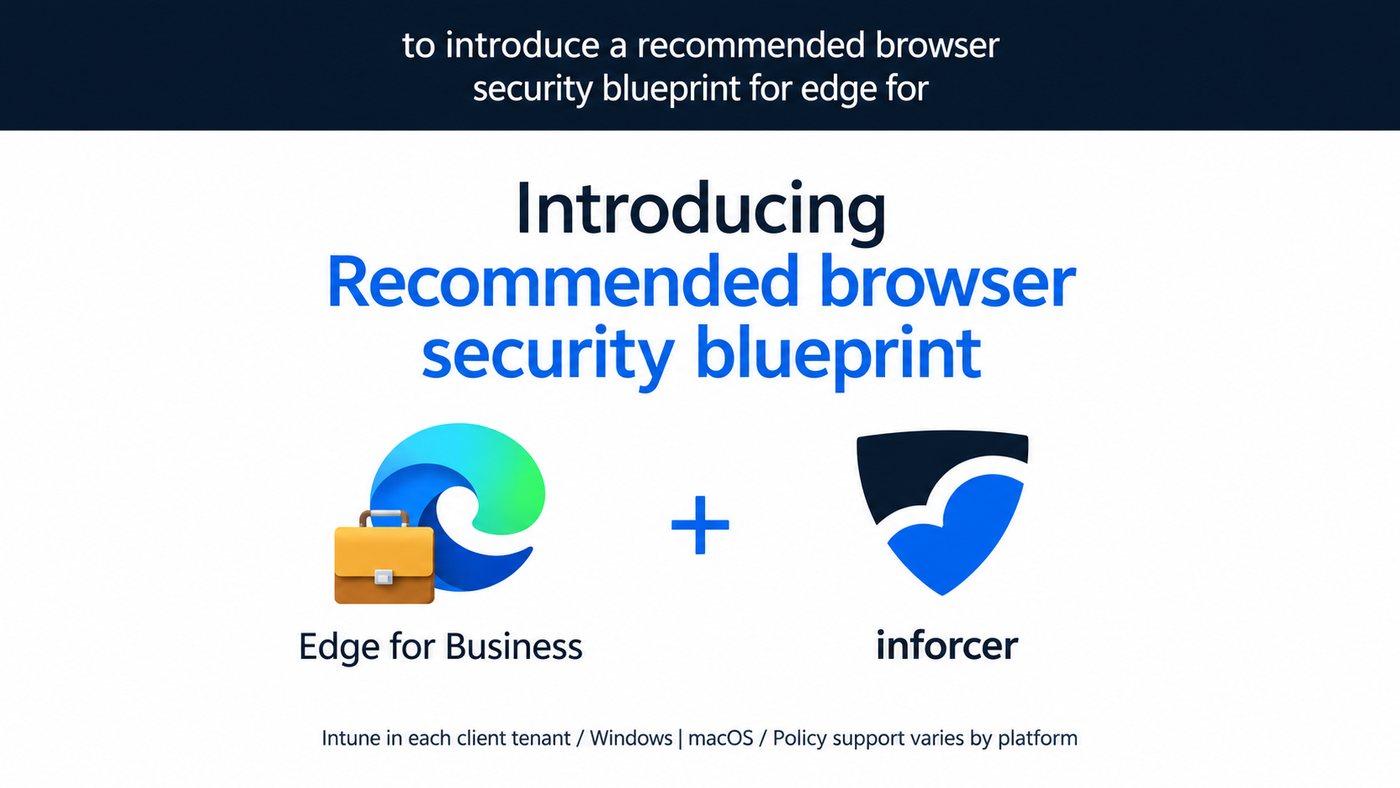 ▶
I work at Inforcer, so I'm 100% biased in calling this one of the best sessions of the week.
Edge for Business is now the browser for agents. The browser is also where most users do their work, so browser policy belongs in the same baseline as Conditional Access and device compliance. Most of what Microsoft announced is in preview, with one GA item you can use today.
| Feature | Status | Detail |
|---|---|---|
| Extension safety | GA | Org-wide extension inventory with Akamai and Spin.AI risk scores by extension and version, to support allow and block decisions. |
| Extension leak control | Preview | Stops selected org-installed extensions from reading content on protected pages. |
| Managed agent browsing | Preview | IT can require Microsoft and third-party agents to use Edge for Business. Each agent gets a dedicated window and its own Entra agent identity. |
| Skills recorder | Preview with Cowork | Record a workflow and save it as a reusable skill for Copilot Cowork. IT controls when it is enabled. |
| Microsoft Sentinel connector | Preview | Browser security events and audit logs into Sentinel. |
| Global Secure Access in Edge for Business | Preview | Private web apps from the signed-in work profile on Windows PCs, with no VPN client or extension. The Entra post pitches it for BYOD. |
The Best Part Was the People
Thank you to Microsoft for the continued investment and trust in me and for putting on an absolute great event. The product managers and the MVP community made it easy to build a real connection and dive into some all-out nerdy technical conversations, and that is what I'll remember most. Catching up with Ingrid about Endpoint DLP, and how often Purview and data governance end up an afterthought until something forces the issue, is exactly the kind of conversation I came for.
It is ironic that in a world getting more disconnected and automated, the best value I got out of Ignite was community and the human connections I made. I met people like Merill and John, whom I've looked up to for a long time, along with other amazing MVPs and IT enthusiasts. I had great conversations about Intune, Purview and plenty of identity.
The next thing I'm watching is how smaller companies, and the MSPs that serve them, afford what Microsoft just showed off. That's the challenge Inforcer is built around, and I'm looking forward to digging into it.
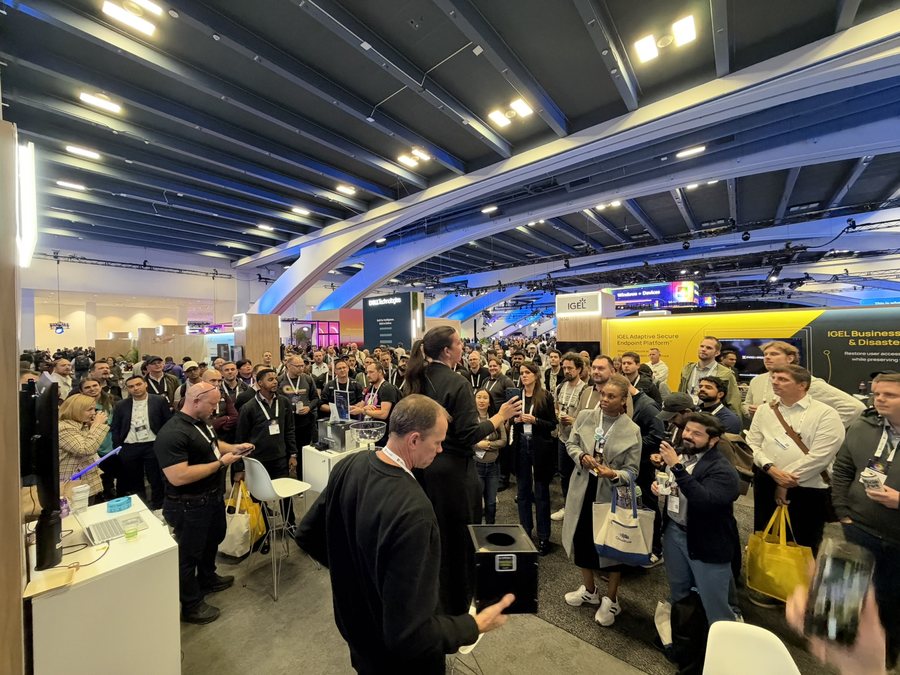
Around the venue · scroll